You can learn how to make a mindmap on paper, in XMind, MindNode, Whimsical, or Miro. Those tools are good when the map is a workshop artifact and the layout is the point. This page is the text version: a Mermaid mind map you can diff, review, and keep next to the notes it came from. After this paragraph the rest is Mermaid. The shape catalog is on the mermaid mindmap page, and a filled-in business outline is the startup template.
A mind map is a tree. One root, branches, leaves. There are no cross links. If your idea has cycles, or two parents, you wanted a flowchart. If the axis is time, you wanted a timeline or a Gantt chart. Stay here when the structure is an outline.
Indentation is the syntax
Children are indented under their parent. Mermaid counts spaces. Two spaces is one level. Four spaces is two levels. A tab is not two spaces, and a tab plus spaces is how a branch silently attaches to the wrong parent. Set the editor to insert spaces, then stop thinking about it.

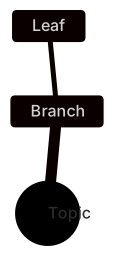
mindmap
  root((Topic))
    Branch
Leafmindmap is the keyword. root((Topic)) is the center. The double parentheses make a circle, which reads as the central idea. Branch is indented two spaces past root. Leaf is indented two spaces past Branch. That is the whole language. People who arrive from YAML sometimes indent with two spaces and sometimes with four, in the same file. Pick two, and make every level add exactly two more.
The root line in this example is indented two spaces under the keyword. You can put the root at column zero. Be consistent. What breaks the tree is a level that jumps by one space, or a line that uses a tab because it was pasted from a chat.
Here is the same tree written badly, on purpose, as text so it will not render:
mindmap
  root((Topic))
   Branch
      Leaf
Branch has three spaces. Depending on the build, it fails the parse or it attaches somewhere you did not mean. Count the spaces. Do not eyeball them. In the editor, turn on whitespace if you are debugging a tree that "looks fine."
Shapes, used sparingly
The default node is a soft box. Wrap the words to change the shape. Use shapes to mark a kind of node, not to decorate.
| Wrapper | Shape | A sane use |
|---|---|---|
((words)) | Circle | The root |
(words) | Rounded | A soft category |
[words] | Rectangle | A concrete deliverable |
{{words}} | Hexagon | A decision you still owe |
)words( | Cloud | A fuzzy area |
))words(( | Bang | A risk |
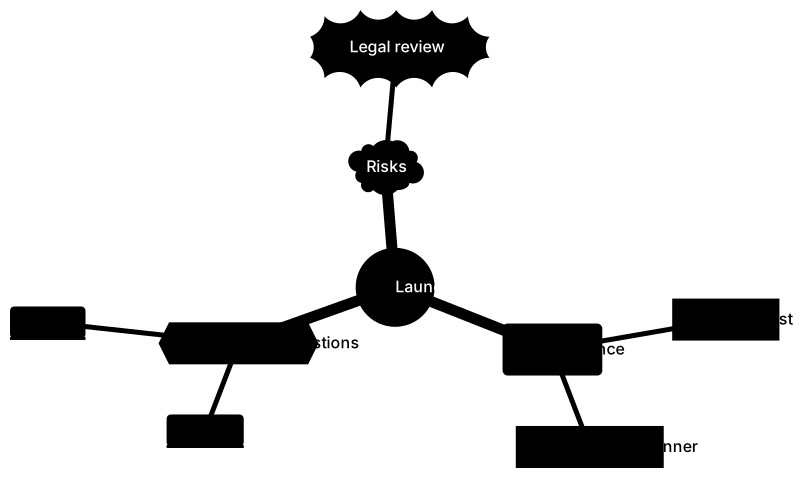
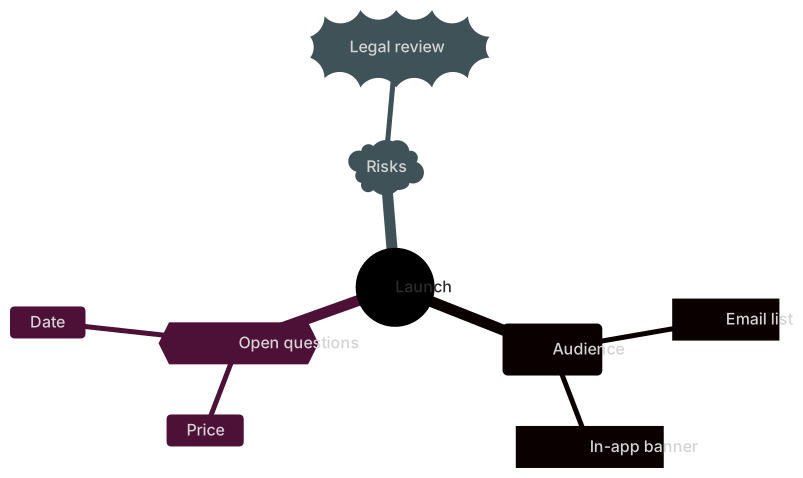
mindmap
  root((Launch))
    (Audience)
      [Email list]
      [In-app banner]
    {{Open questions}}
      Price
      Date
    )Risks(
))Legal review((If every node has a different shape, the legend eats the map. I use a circle for the root, the default for branches, and one accent shape for the thing the meeting must decide. That is enough.
Punctuation inside a label fights the wrapper. A node called (MVP features) is a rounded node whose text is MVP features. A node that needs a literal parenthesis should be quoted, or the words rewritten. Q1 (beta) is a common parse failure. Write Q1 beta.
Icons are a trailing line, ::icon(fa fa-book), under the node they decorate. They render when the host has an icon pack. A docs site that does not load Font Awesome will show a gap or ignore the line. Prefer words if the map has to render in GitHub and in your docs site with the same result.
A map with real content
This is a startup outline: problem, solution, market, revenue, team, metrics. It matches the startup template. The indentation is the content. "Who has it" is a child of Problem, not a sibling, because it only makes sense as a question about the problem.
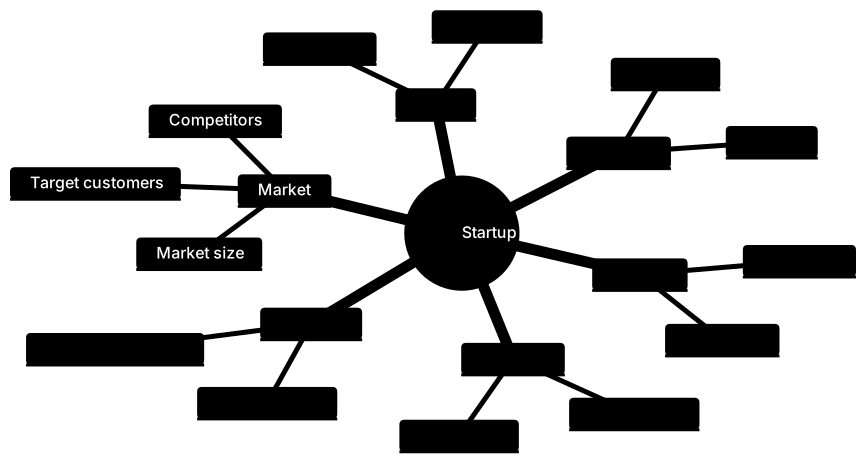
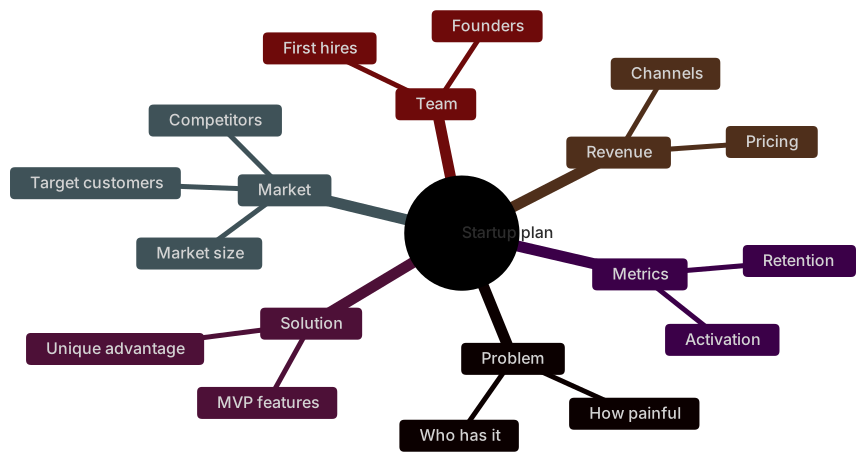
mindmap
  root((Startup plan))
    Problem
      Who has it
      How painful
    Solution
      MVP features
      Unique advantage
    Market
      Target customers
      Market size
      Competitors
    Revenue
      Pricing
      Channels
    Team
      Founders
      First hires
    Metrics
      Activation
RetentionRead each branch as a question you can answer in a paragraph. Problem asks who hurts and how much. Solution asks what the first version does and why it is hard to copy. Market asks who pays, how many of them exist, and who already serves them. If a leaf is a noun you cannot explain, it is a placeholder. Market size with no number under it in the doc is a leaf that feels finished and is not.
Keep a branch to about seven leaves. Past that, the layout wraps and the meeting stops reading. Split a heavy branch into its own map with its own root. MVP features can become a second diagram whose root is MVP, linked from the first file. One file that tries to be the whole company becomes a poster.
How to build one from notes
- Write the root as the question of the page, not as your company name. "Onboarding drop-off" is a root. "Acme" is a logo.
- List the branches as the sections of the answer. For a plan, that is problem, solution, market, revenue, team. For a retro, that is what worked, what broke, what to try.
- Under each branch, add leaves as short phrases. Seven words is already long. The sentence belongs in the prose under the diagram.
- Indent with two spaces per level. Save. Preview.
- Delete any leaf that repeats its parent.
PricingunderRevenueis fine.Revenue ideasunderRevenueis a stall. - Stop when a new leaf would be a cross-link to another branch. That is the moment you have left tree-land.
A retro map is a good second exercise because the content is yours and the shape is the same:
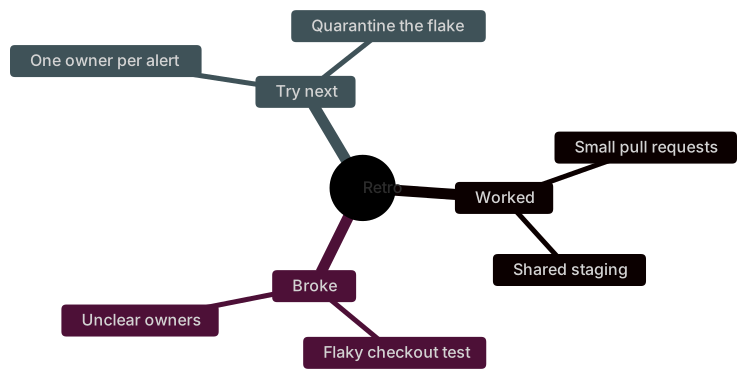
mindmap
  root((Retro))
    Worked
      Small pull requests
      Shared staging
    Broke
      Flaky checkout test
      Unclear owners
    Try next
      One owner per alert
Quarantine the flakeNotice Try next is a sibling of Broke, not a child. The experiments are not a kind of breakage. They are a response. Parent and child is "is a part of," not "reminds me of." When you are unsure, say "leaf is part of branch" out loud. If the sentence is silly, move the leaf up or down a level.
Mistakes that scramble the tree
Tabs. Pasted outlines from some editors arrive with tabs. Mermaid's levels will not match what you see, because your display width of a tab is not the parser's idea of a level. Convert tabs to spaces.
A blank line in the tree. A blank line is fine between Markdown paragraphs. Inside the fence, a blank line can end the diagram early or create a stray node. Keep the fence dense. Put the commentary outside it.
Two roots. A second circle at the left margin looks like a second center and becomes a sibling of the keyword's tree, or a parse error. One root. If you need two maps, use two fences.
Sentences as leaves. Customers leave during the card step because the tax line is surprising and support has no macro will not fit. The leaf is Tax surprise. The because-clause is the paragraph.
Using the map as a task tracker. Owners, dates, and statuses want a Gantt chart, a kanban, or a list with checkboxes. A mind map that grows (@alice due Friday) is an outline begging for a different diagram. Link the task list. Keep the map as structure.
Icons as the only label. An icon with no words fails readers who cannot see it, and it fails any host that strips the icon. Words first.
When the error is a shape that swallowed the next line, look for an unclosed (. The syntax error guide is the checklist. The line number is usually the child, and the bug is the parent.
Levels, and when to stop nesting
Three levels is the useful range: root, branch, leaf. A fourth level is allowed and sometimes right, when a leaf is really a group. A fifth level means you are writing an outline with boxes, and the boxes are losing. Pull the deep items into the prose under that branch, or give them their own map.
Name branches as categories and leaves as instances. Channels is a category. Partners and Outbound are instances. If you notice a level where every node could swap places with its parent, the levels are muddy. Pricing as a child of Per seat is backwards. Per seat is one answer under Pricing.
A discovery workshop produces this kind of mud in the first ten minutes. Capture it anyway, then spend five minutes re-parenting before you share the file. The re-parenting is the work. The first dump is notes.
Here is a discovery map after that cleanup. Support themes are children of the problem you heard, and the bets are a separate branch because a bet is not a theme.
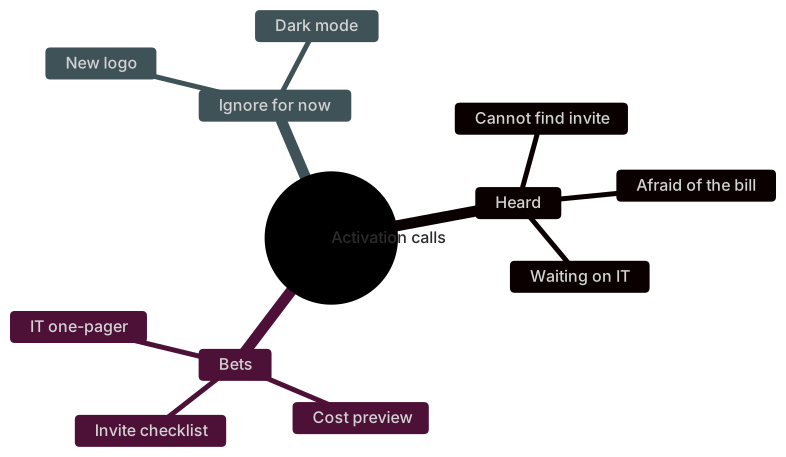
mindmap
  root((Activation calls))
    Heard
      Cannot find invite
      Afraid of the bill
      Waiting on IT
    Bets
      Invite checklist
      Cost preview
      IT one-pager
    Ignore for now
      New logo
Dark modeIgnore for now earns a branch. Without it, those ideas sneak back in as leaves under Bets because the map looks empty. A conscious discard is part of the outline. Next month you can delete the branch if the decision stuck, or move a leaf when you were wrong.
What to write under the map
The diagram is the table of contents. Under each heading, write the paragraph the leaf cannot hold. For the startup map, that means a source for the market number, a sentence on pricing, and the names of the competitors. A map without those paragraphs is a poster. A paragraph without the map is a wall of text. They are a pair.
Update the leaf when the decision changes. If pricing moves from "per seat" to "usage," change the leaf in the same pull request as the pricing doc. The diff is one line, which is the reason to have done this as text.
If you are staring at a blank root, describe the topic in a few sentences and let the AI diagram generator draft the indentation. Then fix the levels. Generators like to make every phrase a sibling. Your job is the parent-child test: part of, or merely related. Move the merely related items up, or out to prose.
Review the map like an outline
Ask one question per branch: if this branch disappeared, which decision would we be unable to explain? A branch that answers "none" is leftover workshop energy. Delete it. The map gets more useful by getting smaller, which is the opposite of how slide decks behave, and it is why text outlines beat posters for this job.
Ask a second question of each leaf: could a teammate who missed the meeting act on this phrase? IT one-pager can be acted on. Alignment cannot. Replace vague leaves before you send the link. If you cannot replace them, they are still in discussion and they belong in a note under the diagram, not in the tree, where they look decided.
When two people edit the file, the diff will be indentation plus words. Review the indentation first. A leaf that moved from Heard to Bets is a product change, even though the words stayed the same. Call that out in the pull request. Reviewers skim word changes and miss moves.
Keep a single owner for the root. Everyone can suggest leaves in review. One person merges, so the levels stay coherent. A shared whiteboard has no owner and grows duplicate branches with slightly different names. Customers and Target customers will both appear by Thursday if nobody is allowed to delete.
Sharing it
The fence renders anywhere Mermaid renders: GitHub, GitLab, Notion, Obsidian, and the docs tools that enable the plugin. For a slide, download a PNG from the editor the day you present. Free PNG is 1× with a watermark, Starter goes to 4×, and Pro goes to 8×. SVG is on Pro. Do not hand-edit the export. The next change belongs in the fence.
Print is the case where a visual tool still wins. A workshop with sticky notes does not need a deploy. Take a photo, then write the surviving branches into Mermaid the same day, while you remember which sticky was a child and which was a joke. That transcription is how to make a mindmap that still means something on Monday: two spaces per level, one root, short leaves, and a paragraph under the branches that matter.
Frequently asked questions
How does Mermaid know which node is a child?
Indentation. Two spaces means one level deeper. Tabs and spaces mixed together will not match.
Can I change node shapes?
Yes. Wrap a node in parentheses for a rounded pill, square brackets for a rectangle, or double parentheses for a circle.
Is a mindmap the right diagram?
Use it for brainstorms and outlines. Use a flowchart when the relationships are not a tree, and a timeline when the axis is time.