Basic sequence diagram example
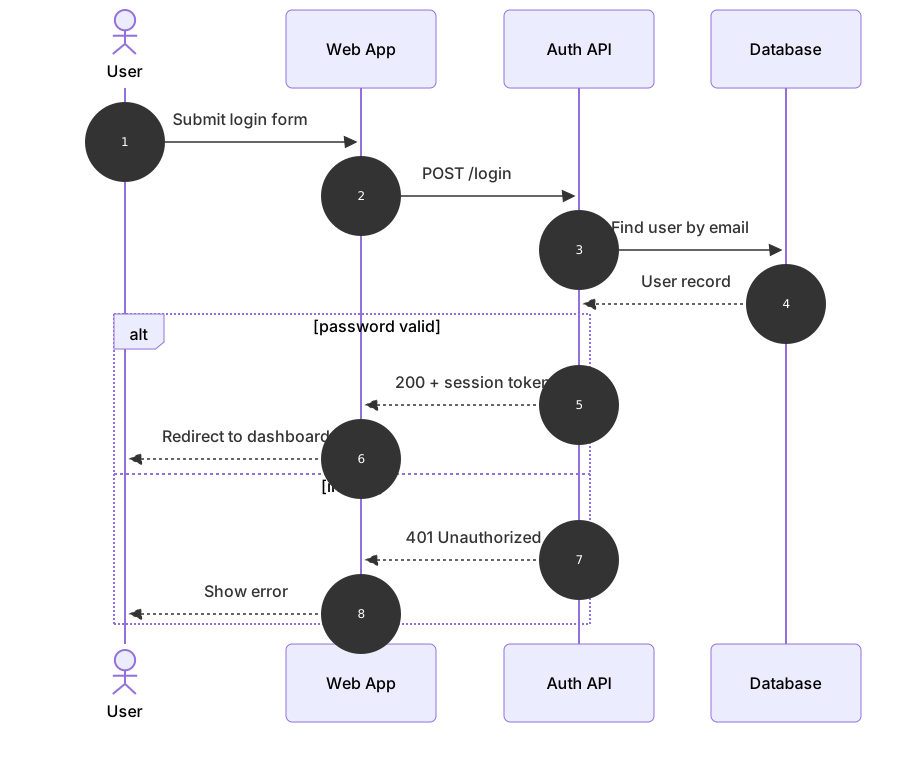
sequenceDiagram
    autonumber
    actor U as User
    participant W as Web App
    participant A as Auth API
    participant D as Database
    U->>W: Submit login form
    W->>A: POST /login
    A->>D: Find user by email
    D-->>A: User record
    alt password valid
        A-->>W: 200 + session token
        W-->>U: Redirect to dashboard
    else invalid
        A-->>W: 401 Unauthorized
        W-->>U: Show error
endSequence diagrams show the order in which participants exchange messages. They are the go-to diagram for API calls, authentication handshakes, microservice interactions and any flow where timing matters.
Mermaid sequence diagrams read almost like a script: each line is one message from one participant to another. Mermaid handles lifelines, arrow alignment and spacing, and you get blocks for loops, alternatives, optional steps and parallel work.
When to use a sequence diagram
- Documenting REST and GraphQL API request/response flows
- Explaining OAuth, SSO and other authentication handshakes
- Designing event-driven and microservice interactions
- Debugging race conditions by laying out message order
Sequence Diagram syntax reference
| Syntax | What it does |
|---|---|
sequenceDiagram | Start a sequence diagram. |
participant A as Alice | Declare a participant with an alias (controls order). |
actor U | Declare a participant drawn as a stick figure. |
A->>B: text | Solid line with arrowhead (synchronous call). |
A-->>B: text | Dotted line with arrowhead (response). |
A-)B: text | Async message (open arrow). |
A-xB: text | Message with a cross at the end (failure / lost). |
activate A / deactivate A or A->>+B / B-->>-A | Show an activation bar on the lifeline. |
Note right of A: text / Note over A,B: text | Add notes beside or spanning participants. |
loop / alt ... else / opt / par ... and / critical / break | Control-flow blocks, each closed with end. |
rect rgb(240,248,255) ... end | Highlight a region with a background color. |
autonumber | Number every message automatically. |
Sequence Diagram examples
Retry loop with activations
Activation bars (+ and -) show when a participant is busy; loop shows retries.
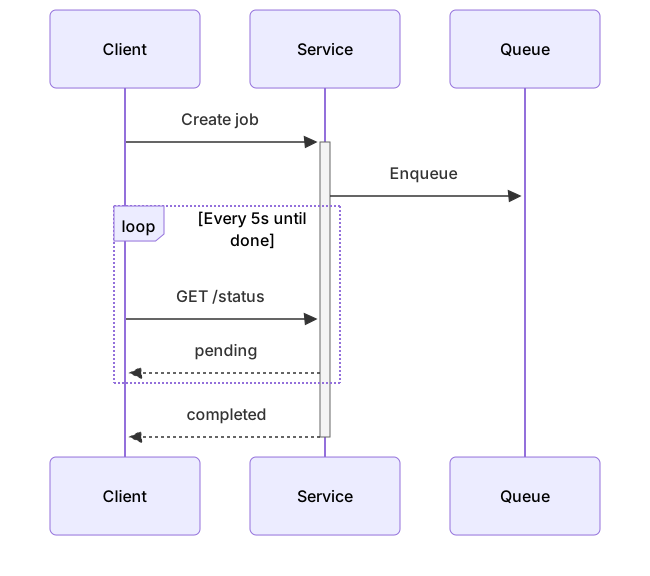
sequenceDiagram
    participant C as Client
    participant S as Service
    participant Q as Queue
    C->>+S: Create job
    S->>Q: Enqueue
    loop Every 5s until done
        C->>S: GET /status
        S-->>C: pending
    end
S-->>-C: completedParallel calls
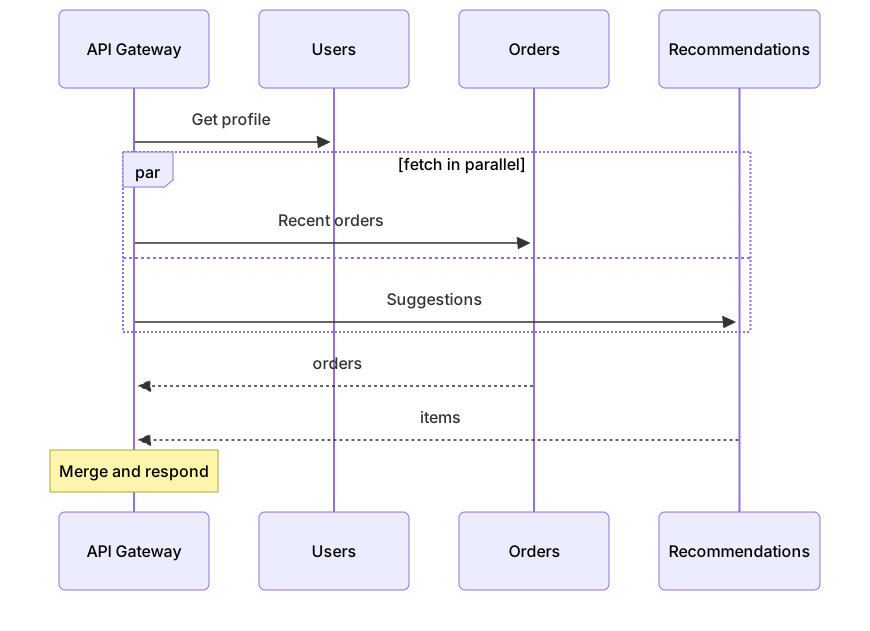
par blocks show work happening at the same time.
sequenceDiagram
    participant G as API Gateway
    participant U as Users
    participant O as Orders
    participant R as Recommendations
    G->>U: Get profile
    par fetch in parallel
        G->>O: Recent orders
    and
        G->>R: Suggestions
    end
    O-->>G: orders
    R-->>G: items
Note over G: Merge and respondTips and best practices
- Declare participants up front to control their left-to-right order instead of relying on first mention.
- Use solid arrows (->>) for requests and dotted arrows (-->>) for responses to make the flow scannable.
- Turn on autonumber for diagrams that will be discussed in reviews so people can reference steps.
- Keep messages short; push details into notes so the diagram stays readable.
Generate a sequence diagram with AI
Not sure where to start? Describe what you need and the AI sequence diagram generator writes the Mermaid code for you. Try prompts like:
- “OAuth 2.0 authorization code flow with PKCE”
- “Checkout with payment provider webhook confirmation”
- “Chat message delivery with read receipts”
Sequence Diagram templates
Sequence diagram of the OAuth 2.0 authorization code flow with PKCE between user, client, authorization server and API.
Sequence diagram of a REST request through CDN, load balancer, API server, cache and database.
Sequence diagram explaining the TCP handshake, data transfer and connection teardown.
Sequence Diagram FAQ
What arrow types does a Mermaid sequence diagram support?
Common ones are ->> (solid with arrowhead), -->> (dotted with arrowhead), -> and --> (no arrowhead), -x and --x (cross), and -) / --) for asynchronous messages.
How do I show if/else logic in a sequence diagram?
Use an alt block: alt condition, the messages, else other condition, more messages, and close with end. For a single optional branch use opt ... end.
Can participants be grouped?
Yes. Wrap participant declarations in box Title ... end (optionally with a color, e.g. box Aqua Backend) to draw a labelled box around them.
How do I show an actor as a person?
Declare it with actor instead of participant, for example actor U as User.