Mermaid is an open-source JavaScript library that renders diagrams from plain text. Instead of dragging shapes around in a drawing tool, you describe the diagram in a short, readable syntax and Mermaid draws it for you — flowcharts, sequence diagrams, Gantt charts, ER diagrams and more than twenty other types.
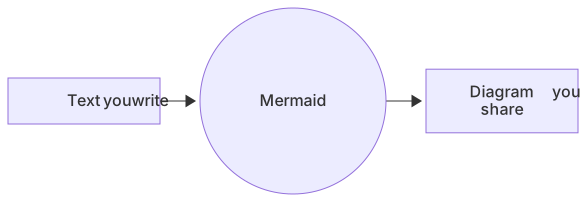
flowchart LR
T[Text you write] --> M((Mermaid)) --> D[Diagram you share]Why diagrams as code?
Diagrams drawn by hand go stale because updating them is tedious. When a diagram is text, updating it is as easy as editing a line, and it gains all the benefits of code:
- Version control — diagrams live in Git next to the code they describe, with history and reviews.
- Consistency — Mermaid handles layout, spacing and styling, so every diagram looks clean.
- Speed — typing
A --> Bis faster than drawing and aligning two boxes and an arrow. - Portability — the same text renders on GitHub, GitLab, Notion, Obsidian, Confluence and in your own apps.
- AI-friendly — language models can read and write Mermaid, so you can generate or fix diagrams from a description.
A first Mermaid diagram
Every Mermaid diagram starts with a keyword that names the diagram type, followed by its content. Here is a complete flowchart:
flowchart TD
    Start --> Idea{Good idea?}
    Idea -- Yes --> Build[Build it]
    Idea -- No --> Start
Paste it into the MermaidViewer editor and you'll see the rendered diagram instantly. Change TD to LR and the layout flips from top-down to left-to-right.
Which diagram types does Mermaid support?
Mermaid covers software, business and data use cases. The most popular are flowcharts, sequence diagrams, class diagrams, ER diagrams, state diagrams and Gantt charts. There are also mindmaps, timelines, git graphs, pie charts, quadrant charts, sankey diagrams, XY charts, C4 diagrams and newer types like architecture, kanban, radar and treemap. See the full list on the diagram types page.
Where can you use Mermaid?
- GitHub and GitLab render ```mermaid code blocks in Markdown files, issues, pull requests and wikis.
- Notion, Obsidian, Confluence (via apps) and many docs tools support Mermaid blocks natively or through plugins.
- Docs sites built with Docusaurus, MkDocs, VitePress or Astro have Mermaid plugins.
- Online editors like MermaidViewer let you write, preview, export and share diagrams without installing anything.
How to get started
- Open the free online Mermaid editor — no sign-up needed.
- Pick a template or a sample for the diagram type you need.
- Edit the text on the left and watch the preview update live.
- Export to PNG, SVG or PDF, copy the Markdown, or create a share link.
Stuck on syntax? Describe your diagram in plain English and let the AI diagram generator write the Mermaid code for you.
Frequently asked questions
Is Mermaid free?
Yes. Mermaid is open source under the MIT license, and MermaidViewer's editor is free to use without an account.
Do I need to know JavaScript to use Mermaid?
No. You only write Mermaid's diagram syntax. JavaScript is only needed if you want to embed the Mermaid library in your own website.
Is Mermaid the same as Markdown?
No, but they work together. Mermaid has its own syntax, and many Markdown renderers display Mermaid when it is placed in a ```mermaid code block.