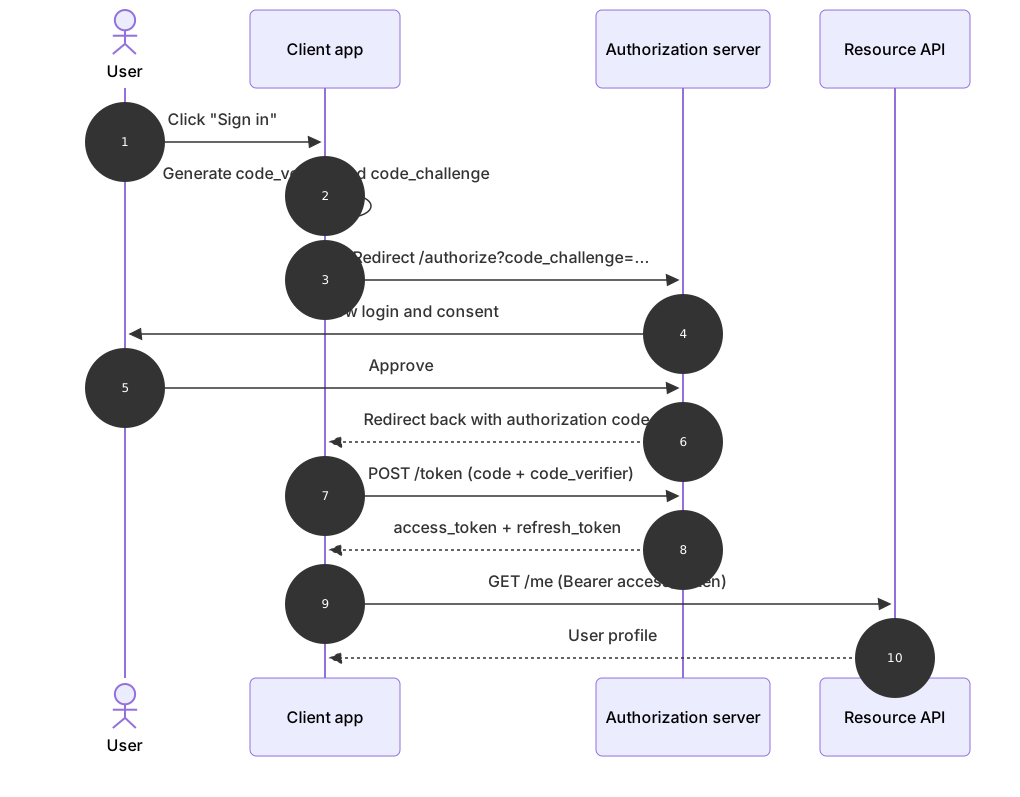
sequenceDiagram
    autonumber
    actor U as User
    participant C as Client app
    participant AS as Authorization server
    participant API as Resource API
    U->>C: Click "Sign in"
    C->>C: Generate code_verifier and code_challenge
    C->>AS: Redirect /authorize?code_challenge=...
    AS->>U: Show login and consent
    U->>AS: Approve
    AS-->>C: Redirect back with authorization code
    C->>AS: POST /token (code + code_verifier)
    AS-->>C: access_token + refresh_token
    C->>API: GET /me (Bearer access_token)
API-->>C: User profileAbout this template
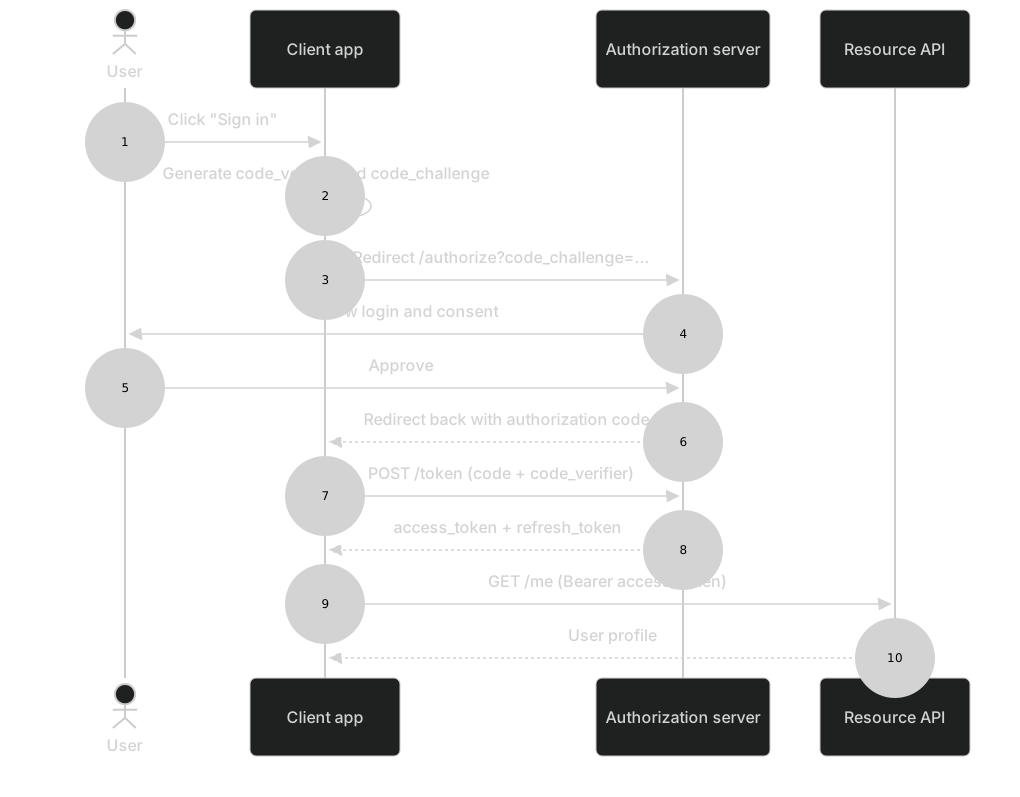
OAuth is notoriously hard to explain in words. This sequence diagram shows each redirect and token exchange of the authorization code flow with PKCE — the flow recommended for single-page and mobile apps — so developers can see exactly which party talks to which and when.
How to customise it
- Rename the authorization server to Google, GitHub, Auth0 or Okta
- Add a refresh-token exchange at the end
- Remove PKCE steps for confidential server-side clients
This template is a Mermaid sequence diagram. See the sequence diagram page for the full syntax reference and more examples.
Frequently asked questions
How do I use this oauth 2.0 authorization code flow template?
Click "Use this template" to open it in the MermaidViewer editor. Edit the Mermaid code on the left and the diagram updates instantly. No account is needed.
Can I export the template as an image?
Yes. In the editor use Export to download PNG, SVG or PDF, or copy the image to your clipboard. You can also copy the code as a Markdown block for GitHub, GitLab or Notion.
Can AI customise this template for me?
Yes. Open the AI assistant (Ctrl/Cmd+K) and describe the change, for example "Rename the authorization server to Google, GitHub, Auth0 or Okta". The updated diagram streams into the editor.