To convert draw.io to mermaid, you rewrite the drawing as text. diagrams.net can insert a Mermaid diagram into a page, and it cannot reliably turn an existing drawing back into Mermaid. There is no one-click exporter to wait for, and the layout of the rewrite will not match the file you started with. That is the whole constraint. This page is a way to do the rewrite without losing the meaning. The tradeoffs between the two tools are on the mermaid vs draw.io page. Keep that open if you are still deciding whether the drawing should stay a drawing.
The insert path, for when you already have Mermaid and want it on a diagrams.net canvas, is Arrange, then Insert, then Advanced, then Mermaid. That command pastes text in. It does not read the boxes you dragged last quarter. Treating it as an exporter is how people waste an afternoon.
What is worth rewriting
Convert a drawing when the next edit should be a pull request. Flows, sequences, simple architecture sketches, state machines, and ER sketches survive the trip. The text is shorter than the XML, and a diff shows that you added a step.
Leave the drawing as an SVG when the value is the picture itself. Icon-heavy network maps, rack diagrams, posters with a custom legend, and freeform whiteboards full of screenshots do not have a Mermaid equivalent that keeps their information. Export SVG from diagrams.net, commit the SVG, and link it from the doc. Forcing those into boxes and arrows drops the icons, the spacing, and half the labels. You will redraw them twice and still like the SVG better.
A mixed file is normal. The architecture overview becomes Mermaid. The physical network map stays SVG. Say so at the top of the doc so the next person does not try to "finish the conversion."
The rewrite, step by step
- Open the draw.io file and list the nodes. Ignore position, color, and font. Write down the label and, if you can see it, the type: person, process, decision, database, external system.
- List the arrows as sentences. "Customer submits the form to the API." If an arrow has no label, look at the diagram title and invent the smallest honest verb, then mark it with a question so you confirm it.
- Pick one Mermaid diagram type for that list. A procedure with decisions is a flowchart. A timed exchange between parties is a sequence. A lifecycle is a state diagram. A system and its neighbors is a C4 context. Do not pick the type because the original used rectangles.
- Type the fence in the editor. Drop coordinates on the floor. Mermaid will place the nodes.
- Compare meaning, not pixels. Every node you listed should appear, or you should know why you deleted it. Every arrow should appear with its verb.
- Put the Mermaid in git. Keep the
.drawiofile until someone who knows the system has checked the rewrite. Then delete the drawing, or move it to an archive folder, so you do not maintain two sources.
Here is the inventory of a small checkout flow, written as text before any Mermaid exists. This is the artifact that makes the rewrite reviewable. A teammate can correct the list without arguing about spacing.
Nodes:
  Customer
  Checkout page
  API
  Decision: payment approved?
  Receipt page
  Error page
Arrows:
  Customer -> Checkout page: starts checkout
  Checkout page -> API: POST /checkout
  API -> Decision: provider result
  Decision -> Receipt page: yes
  Decision -> Error page: no
Drop:
  The green brand header
  The drop shadow on the API box
The "Drop" section is where layout and decoration go to die on purpose. If something in Drop is actually a requirement, promote it to a node before you continue.
A flow, rewritten
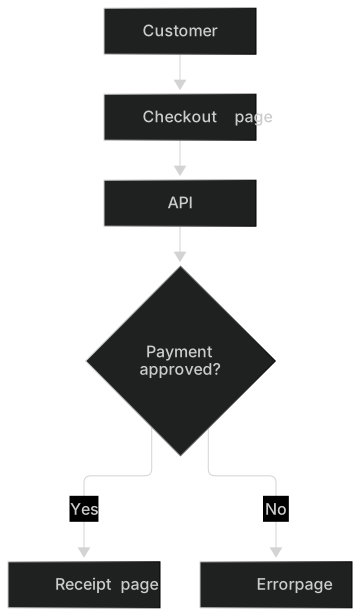
The inventory above becomes a flowchart. Direction is TD because it is a short decision. Labels use the verbs from the list. The decision is a diamond. The pages are plain boxes. Nothing in the source said "diamond," and the type still should be a decision because the arrows are yes and no.
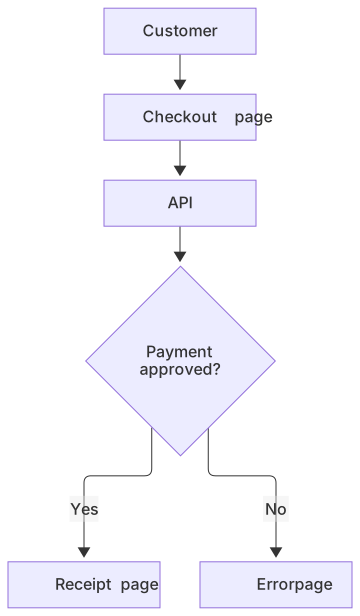
flowchart TD
  C[Customer] --> P[Checkout page]
  P --> A[API]
  A --> D{Payment approved?}
  D -->|Yes| R[Receipt page]
D -->|No| E[Error page]The original file almost certainly had the receipt on the right and the error below, with the API stretched to match a slide grid. This picture will not. If a stakeholder rejects it for that reason, they want a poster. Give them an SVG export for the slide, and keep this fence for the engineering doc. Maintaining both is fine when you are honest about which one is the source. The fence is the source if you want diffs. The SVG is the source if you want the brand header.
A few translations that come up constantly:
| In the drawing | In Mermaid | ||
|---|---|---|---|
| Rectangle | Node[Label] | ||
| Diamond | Node{Label} | ||
| Cylinder | Node[(Label)] | ||
| Arrow label | `A --> | label | B` |
| Dotted arrow | A -.-> B | ||
| Group or swimlane | subgraph Name | ||
| Color that means status | a short label, or a class, used rarely |
Swimlanes are the item people mourn. A subgraph can group nodes by owner. It will not reproduce the row heights of a draw.io pool. If the lane is the actual content ("these steps are the bank's, these are ours"), the subgraph preserves it. If the lane is visual balance, let it go.
A sequence, when the drawing was already one
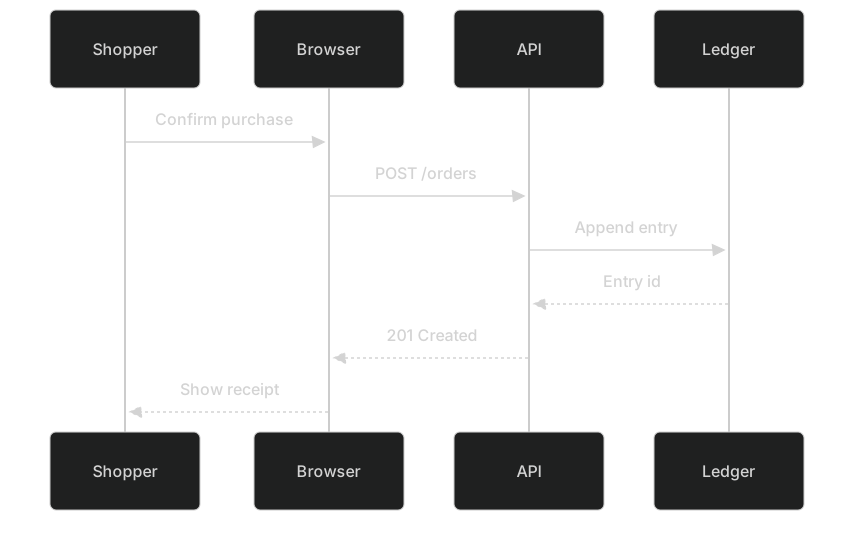
Lots of draw.io files are sequences drawn by hand: lifelines as rectangles, messages as arrows, a return as a dashed line. Rewriting those as boxes in a flowchart loses the time order. Use a sequence diagram. Participants are the lifelines. Solid arrows are messages. Dashed arrows are replies.
Suppose the drawing shows a shopper, a browser, an API, and a ledger, with a return of "201" and a failure note. The rewrite:
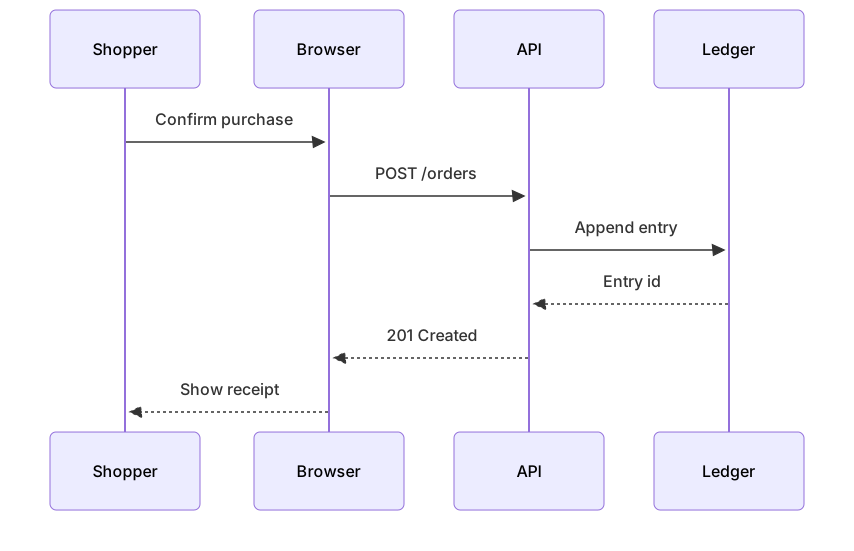
sequenceDiagram
  participant S as Shopper
  participant B as Browser
  participant A as API
  participant L as Ledger
  S->>B: Confirm purchase
  B->>A: POST /orders
  A->>L: Append entry
  L-->>A: Entry id
  A-->>B: 201 Created
B-->>S: Show receiptCheck the direction of every arrow against the drawing. Hand-drawn sequences often point the reply the same way as the request, because the author duplicated an arrow and changed the label. In Mermaid, ->> and -->> make the direction obvious, which is an improvement and a place you can discover a bug in the original. When you find one, fix the meaning in the rewrite and mention it in the pull request. Silent corrections look like mistakes when someone compares the SVG.
Numbered steps in the draw.io file can become autonumber or can stay as ordinary messages in order. Prefer ordinary order. Autonumber is a decoration that drifts if you insert a step at the top. The text order is the numbering.
Architecture sketches
A draw.io architecture page with a user, a system, and three vendors is a C4 context waiting to happen. A page with a gateway and several services is a flowchart like the microservices template. Match the vocabulary your readers use. If the drawing's legend says "person" and "external system," follow the C4 guide and keep those words. If the legend says nothing and the boxes are just services, a flowchart is the smaller rewrite and the one you will finish.
Do not introduce a new diagram type during conversion. The job is to carry the meaning across. A cleanup, such as splitting one giant drawing into a context plus a sequence, is worth doing when the original answered two questions. Do that split on purpose, with two fences and two headings, not by hiding half the nodes.
Icon libraries do not come with you. A draw.io AWS shape set will not become official AWS icons in Mermaid. You can use an architecture diagram with a handful of built-in icons, or you can label the box "Object storage" in a flowchart and keep the icon SVG beside it. For a network map whose icons are the content, keep the SVG. Re-read that sentence before you spend a day hunting icon packs.
Using a model without trusting it
Paste the inventory, not a screenshot's imagined contents, into the AI diagram generator. Ask for one diagram type. You will get a fence in seconds and a few invented nodes. Delete any node that was not on your list. Add any arrow the model dropped. The model is a typist. The inventory is the spec.
Pasting the raw .drawio XML into a chat is worse. The file is full of geometry, style strings, and encoded HTML labels. Models latch onto coordinates and try to preserve them with Mermaid layout hints that do not exist, or they miss a label that was stored as HTML. The text inventory is boring and it works.
If the drawing is large, inventory one page at a time. A forty-box diagram becomes three Mermaid fences: the overview, the one flow people actually maintain, and a note that the rest was decorative. That is a successful conversion. A forty-node flowchart that mirrors every box is a successful paste, and nobody will edit it.
What will not match, so you can stop checking
Positions will not match. Mermaid lays out the graph. You can set flowchart LR or flowchart TD, and you can group with subgraphs. You cannot pin a node to x=240, y=80 and expect it to stay. If a label only makes sense because of where it sat ("the small note under the logo"), rewrite the note into the prose under the fence.
Colors will not match. Brand fills belong in a theme, applied later, or they belong in the SVG. A conversion pull request that starts with classDef and hex colors is a pull request hiding from the real work. Get the nodes and arrows right in the default theme. Add color only when a color carries meaning the label does not.
Fonts, shadows, and embedded images will not match. Embedded images are a signal to keep the SVG. A diagram that is mostly a screenshot of a console is not a graph.
Connectors with custom waypoints will not match. Elbows and jumps in draw.io are manual. Mermaid routes around nodes on its own. A crossing you removed by hand may come back. If the crossing changes the meaning, split the diagram. If it only bothers you, leave it.
The editor preview is the acceptance test. When it matches the inventory, you are done, even if a stakeholder says it "looks different." It should look different. Looking the same was the property you gave up in exchange for a diff.
Mistakes that waste the conversion
Hunting an export menu. File, Export, and the various "advanced" panels will offer images, XML, and SVG. They will not hand you a maintained Mermaid transcription of an old drawing. When someone claims a plugin does it in one click, ask them to convert a file that contains a group, a dotted arrow, and a label with a parenthesis, then diff the result against the inventory. You will still be rewriting.
One Mermaid type for the whole whiteboard. A whiteboard with a flow, a timeline, and a cluster of logos wants to stay a whiteboard. Convert the flow. Export the rest.
Preserving every unlabeled box. Decorations and "coming soon" stickies become nodes that look official. The Drop list exists so those die in the open.
Losing the arrow label. An unlabeled Mermaid arrow is a weaker document than the drawing, which at least had a verb in 9-point type. Squint, write the verb, confirm it.
Throwing away the draw.io file on the same day. Keep it until a second person has used the Mermaid to answer a real question. Then remove it. Two editable sources will diverge by Friday.
Fixing parse errors by simplifying the meaning. A label like POST /v1/orders (retry) may need quotes in a flowchart: A["POST /v1/orders (retry)"]. The syntax error guide covers the quote rules. Change the syntax. Do not change the route to "submit order" unless the inventory was wrong.
A reasonable definition of done
The Mermaid file renders. A second person can point at each node in the inventory and find it in the preview. External readers can update a step by editing a line. The SVG, if you kept one, is labeled as a picture, not as the thing to edit. The comparison you still care about is recorded on the mermaid vs draw.io page, so this doc does not have to re-argue the tools.
That is convert draw.io to mermaid in practice. Inventory the meaning, choose one diagram type, accept a new layout, and keep icon-heavy maps as SVG. The insert command in diagrams.net is for the opposite direction, text onto a canvas. Use it when you want a Mermaid diagram sitting inside a drawing. Use this rewrite when you want the drawing to become text.
Frequently asked questions
Can draw.io export Mermaid?
diagrams.net can insert Mermaid, but it does not reliably export an existing drawing as Mermaid text. Treat conversion as a rewrite guided by the picture, or ask an AI model to draft the text and then correct it.
Which drawings are worth converting?
Flows, sequences, simple architectures and ER sketches. Highly designed posters, icon-heavy network maps and freeform whiteboards are usually better left as SVG exports.
Will the layout match?
No. Mermaid lays out the graph itself. You keep the meaning and give up pixel positions. That is the point: the next edit is a text change.