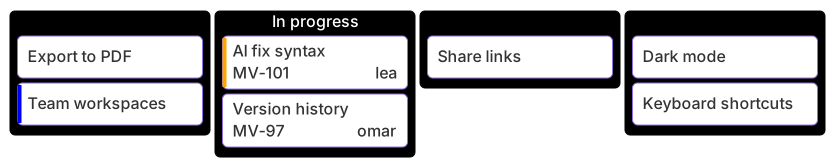
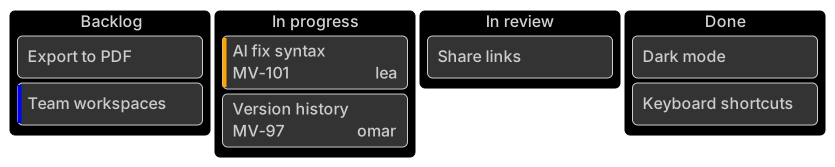
kanban
  backlog[Backlog]
    b1[Export to PDF]
    b2[Team workspaces]@{ priority: 'Low' }
  progress[In progress]
    p1[AI fix syntax]@{ assigned: 'lea', ticket: MV-101, priority: 'High' }
    p2[Version history]@{ assigned: 'omar', ticket: MV-97 }
  review[In review]
    r1[Share links]
  done[Done]
    d1[Dark mode]
d2[Keyboard shortcuts]About this template
Snapshot your sprint status inside docs or retrospectives. Cards carry ticket ids, assignees and priorities so the board doubles as a lightweight status report.
How to customise it
- Replace cards with your tickets
- Add a Blocked column
- Set ticketBaseUrl to link cards to your tracker
This template is a Mermaid kanban board. See the kanban board page for the full syntax reference and more examples.
Frequently asked questions
How do I use this sprint kanban board template?
Click "Use this template" to open it in the MermaidViewer editor. Edit the Mermaid code on the left and the diagram updates instantly. No account is needed.
Can I export the template as an image?
Yes. In the editor use Export to download PNG, SVG or PDF, or copy the image to your clipboard. You can also copy the code as a Markdown block for GitHub, GitLab or Notion.
Can AI customise this template for me?
Yes. Open the AI assistant (Ctrl/Cmd+K) and describe the change, for example "Replace cards with your tickets". The updated diagram streams into the editor.