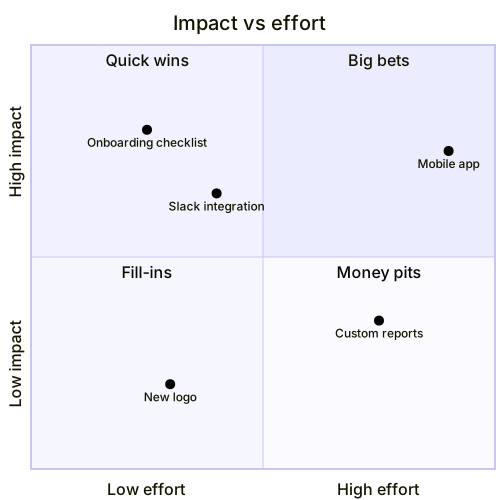
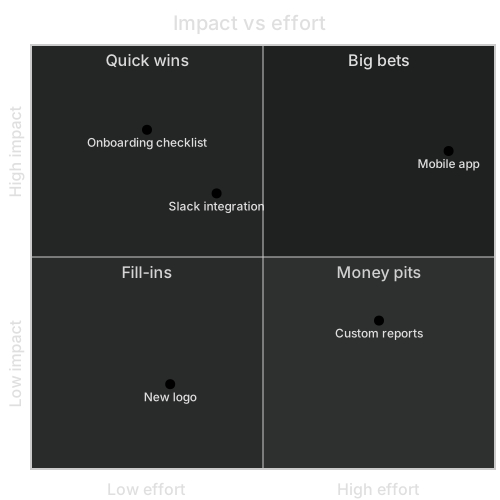
quadrantChart
    title Impact vs effort
    x-axis Low effort --> High effort
    y-axis Low impact --> High impact
    quadrant-1 Big bets
    quadrant-2 Quick wins
    quadrant-3 Fill-ins
    quadrant-4 Money pits
    Onboarding checklist: [0.25, 0.8]
    Slack integration: [0.4, 0.65]
    Mobile app: [0.9, 0.75]
    New logo: [0.3, 0.2]
Custom reports: [0.75, 0.35]About this template
The classic impact/effort 2x2 used by product teams in planning sessions. Plot candidate features and the quadrants immediately suggest quick wins, big bets, fill-ins and money pits.
How to customise it
- Replace the features with your backlog
- Change the axes to value vs risk
- Use it for marketing channels or experiments
This template is a Mermaid quadrant chart. See the quadrant chart page for the full syntax reference and more examples.
Frequently asked questions
How do I use this feature prioritization matrix template?
Click "Use this template" to open it in the MermaidViewer editor. Edit the Mermaid code on the left and the diagram updates instantly. No account is needed.
Can I export the template as an image?
Yes. In the editor use Export to download a PNG, or copy the image to your clipboard. Free PNG is 1× with a small watermark, Starter goes to 4×, and Pro goes to 8×. JPG, SVG and PDF are on Pro. You can also copy the code as a Markdown block for GitHub, GitLab or Notion.
Can AI customise this template for me?
Yes. Open the AI assistant (Ctrl/Cmd+K) and describe the change, for example "Replace the features with your backlog". The updated diagram streams into the editor.