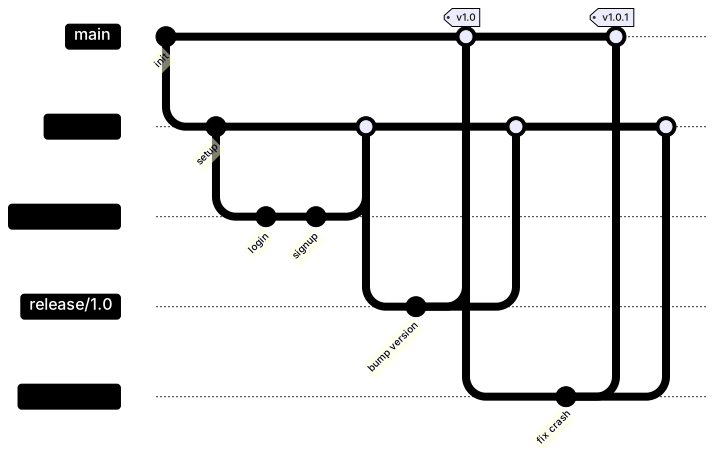
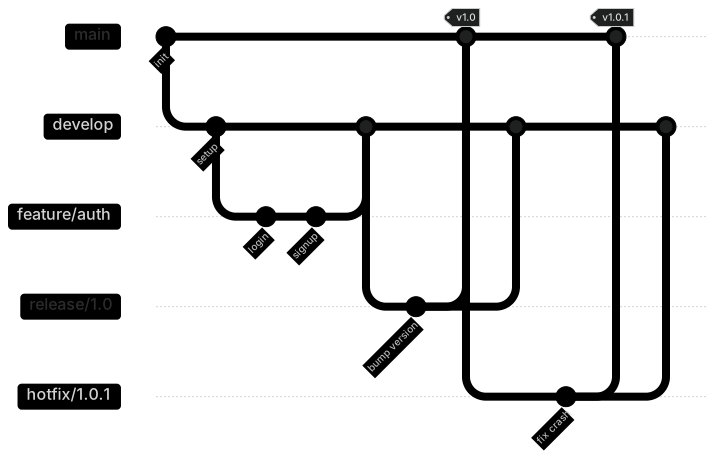
gitGraph
    commit id: "init"
    branch develop
    checkout develop
    commit id: "setup"
    branch feature/auth
    checkout feature/auth
    commit id: "login"
    commit id: "signup"
    checkout develop
    merge feature/auth
    branch release/1.0
    checkout release/1.0
    commit id: "bump version"
    checkout main
    merge release/1.0 tag: "v1.0"
    checkout develop
    merge release/1.0
    checkout main
    branch hotfix/1.0.1
    checkout hotfix/1.0.1
    commit id: "fix crash"
    checkout main
    merge hotfix/1.0.1 tag: "v1.0.1"
    checkout develop
merge hotfix/1.0.1About this template
GitFlow is still widely used for products with scheduled releases. This git graph shows how feature branches merge into develop, how a release branch is cut and stabilised, and how hotfixes go straight to main and back into develop.
How to customise it
- Rename branches to your conventions
- Simplify to trunk-based development
- Add more feature branches in parallel
This template is a Mermaid git graph. See the git graph page for the full syntax reference and more examples.
Frequently asked questions
How do I use this gitflow branching strategy template?
Click "Use this template" to open it in the MermaidViewer editor. Edit the Mermaid code on the left and the diagram updates instantly. No account is needed.
Can I export the template as an image?
Yes. In the editor use Export to download PNG, SVG or PDF, or copy the image to your clipboard. You can also copy the code as a Markdown block for GitHub, GitLab or Notion.
Can AI customise this template for me?
Yes. Open the AI assistant (Ctrl/Cmd+K) and describe the change, for example "Rename branches to your conventions". The updated diagram streams into the editor.