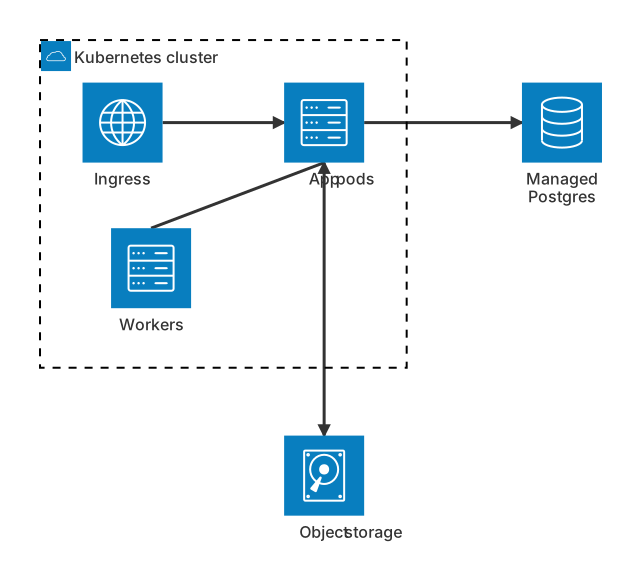
architecture-beta
    group k8s(cloud)[Kubernetes cluster]
    service ingress(internet)[Ingress] in k8s
    service app(server)[App pods] in k8s
    service worker(server)[Workers] in k8s
    service db(database)[Managed Postgres]
    service bucket(disk)[Object storage]
    ingress:R --> L:app
    app:R --> L:db
    worker:T --> B:app
app:B --> T:bucketAbout this template
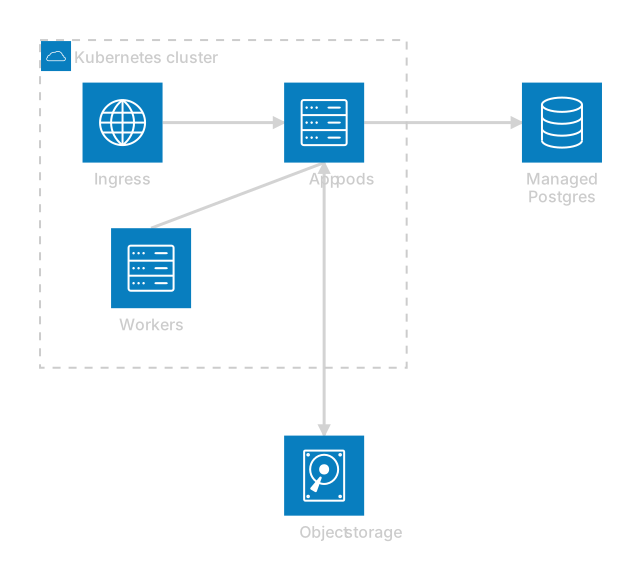
A clean infrastructure diagram for a containerised app on Kubernetes. Traffic enters through an ingress, reaches the application pods and the pods talk to a managed database and object storage.
How to customise it
- Add a cache service
- Add a second group for a separate region
- Rename services to your workloads
This template is a Mermaid architecture diagram. See the architecture diagram page for the full syntax reference and more examples.
Frequently asked questions
How do I use this kubernetes deployment architecture template?
Click "Use this template" to open it in the MermaidViewer editor. Edit the Mermaid code on the left and the diagram updates instantly. No account is needed.
Can I export the template as an image?
Yes. In the editor use Export to download PNG, SVG or PDF, or copy the image to your clipboard. You can also copy the code as a Markdown block for GitHub, GitLab or Notion.
Can AI customise this template for me?
Yes. Open the AI assistant (Ctrl/Cmd+K) and describe the change, for example "Add a cache service". The updated diagram streams into the editor.