Mermaid in docusaurus is a docs feature you turn on, not a fence that works on a fresh site. Install @docusaurus/theme-mermaid, add that theme to the themes array, and set markdown: { mermaid: true }. After that, a mermaid fence in an MDX doc renders during the dev server and in the production build. Before that, the fence is a code block, and the build will look fine while the diagram is missing.
The setup is small and easy to do halfway. People install the package and forget the flag, or they set the flag and forget the theme. Both halves are required. Once they are in, the fence is ordinary Markdown inside the doc, which is the same source you can preview in the editor before you commit it.
What you are turning on
Docusaurus builds MDX. A remark plugin, shipped with the theme, looks for fences whose info string is mermaid and swaps them for a React component that runs Mermaid in the browser. The reader downloads the page, Mermaid draws the SVG, and the picture sits in the doc flow under your heading.
That is different from a static image. The diagram is sharp at any zoom. It also depends on JavaScript and on the Mermaid build your site bundles through the theme. A reader with JavaScript disabled sees whatever fallback the page has, which for a client-rendered diagram can be an empty box. If that reader matters, export an image and use it instead. Most docs sites accept the JavaScript requirement because the rest of the page already needs it.
The theme and the flag do different jobs. The theme registers the renderer and the remark integration. markdown.mermaid: true tells the Markdown pipeline to actually use it. Installing the npm package does neither until the config says so. Restart the dev server after you edit docusaurus.config.js or docusaurus.config.ts. A running server will cheerfully ignore a config you saved thirty seconds ago.
You can set Mermaid theme options, including different options for dark mode. That config lives under themeConfig.mermaid. It is optional. A site with no theme block still renders diagrams in Mermaid's default look. A site that already has a dark mode toggle should set the pair of themes so the diagram does not stay in a light palette on a dark doc.
Turn it on, step by step
Work on a branch. A broken config fails the dev server in a way that looks like every doc is broken, because the config is global.
- From the site root, install the theme at the same major version as the rest of your Docusaurus packages.
- Add
'@docusaurus/theme-mermaid'to thethemesarray in the site config. - Set
markdown.mermaidtotruein that same config. - Optionally set
themeConfig.mermaidso light and dark docs get matching diagrams. - Put a mermaid fence in one doc, at the top level of the Markdown, and start the dev server.
- Open the page, toggle dark mode if you have it, and read the labels.
The install is one command:
npm install @docusaurus/theme-mermaidMatch the theme's major version to the other Docusaurus packages. Use the repo's package manager if it is not npm.
A minimal config shape looks like this. Merge it into the config you already have. Do not replace the whole file with this sketch.
themes: ['@docusaurus/theme-mermaid'],
markdown: {
  mermaid: true,
},
themeConfig: {
  mermaid: {
    theme: { light: 'neutral', dark: 'dark' },
  },
},
neutral is a calm light theme. dark is the built-in dark theme. You can use default, forest, or base as well. The themes and styling guide explains those names and the themeVariables map if base is the one you want to paint. Keep the first test on neutral and dark so you are debugging the pipeline, not a custom palette.
Then add a doc. src/docs/preview-scratch.md is enough. Docusaurus docs are MDX, whether the extension is .md or .mdx.
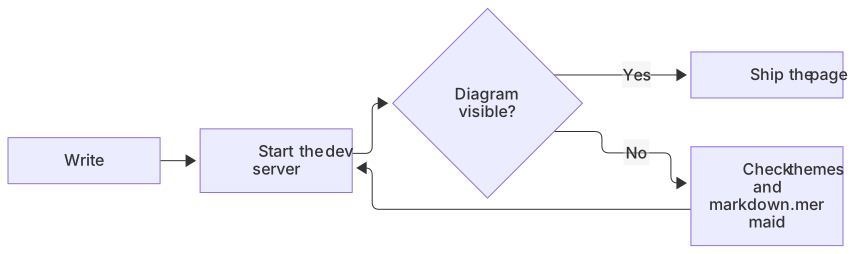
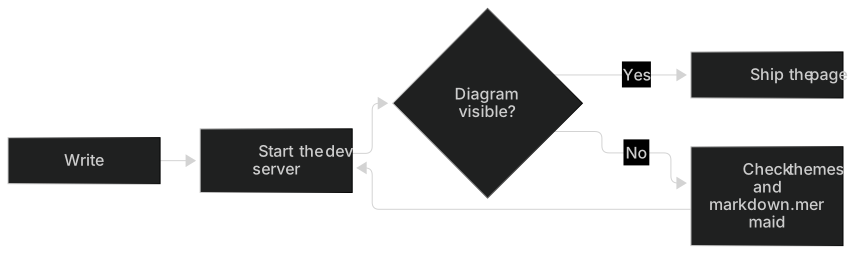
flowchart LR
  A[Write] --> B[Start the dev server]
  B --> C{Diagram visible?}
  C -->|Yes| D[Ship the page]
  C -->|No| E[Check themes and markdown.mermaid]
E --> BIf the starter renders as a code block, the flag or the theme is missing, or the server is still on the old config. If it renders as an error, the fence is fine and the source is not. Paste the inside into the editor and read the parse message.
A worked example
A docs page for an API key flow is a normal place for a diagram. The page can explain the policy in prose. The picture shows the order.
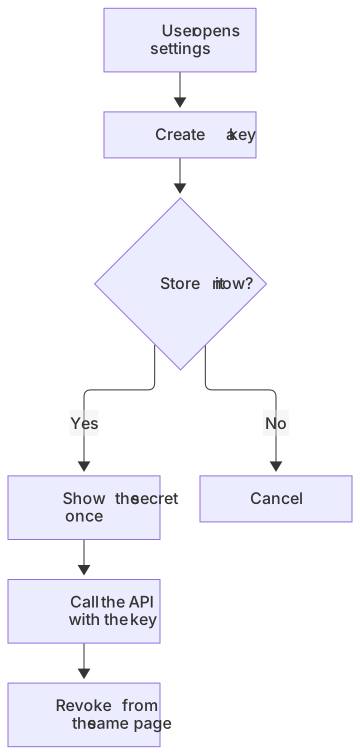
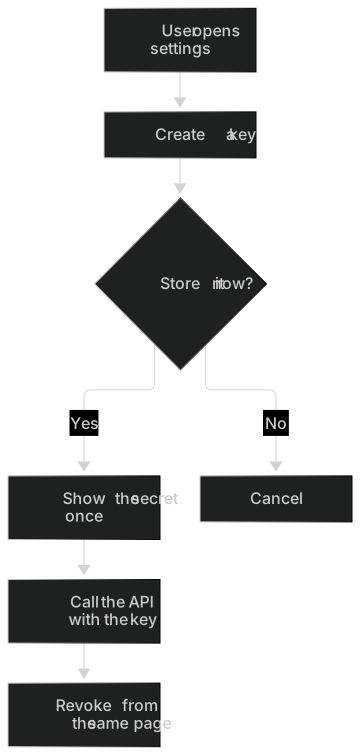
flowchart TD
  A[User opens settings] --> B[Create a key]
  B --> C{Store it now?}
  C -->|Yes| D[Show the secret once]
  C -->|No| E[Cancel]
  D --> F[Call the API with the key]
F --> G[Revoke from the same page]The chart is there so the order stays obvious: the secret is shown once, revoke stays available, and cancel creates nothing. Decisions like this are covered on the flowchart syntax page.
Keep labels short. Docs content is a column, and a node with a sentence in it turns into a tall card that pushes the next heading down. "Show the secret once" is about as long as a label should get. The sentence under the fence can say that the full secret is never shown again, even to the account owner.
A sequence belongs on the same page when the reader needs to see who holds the secret.
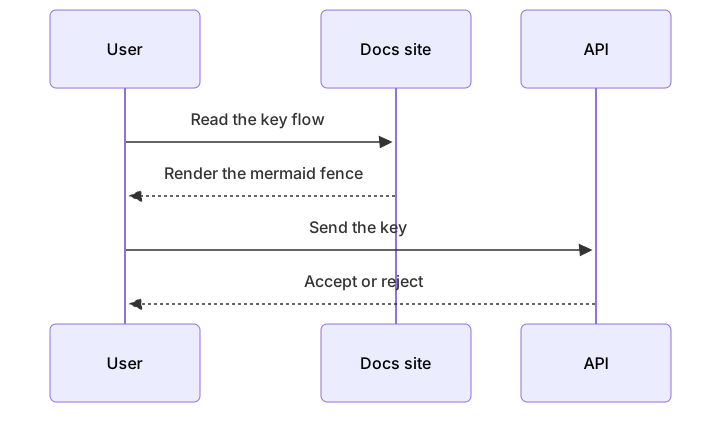
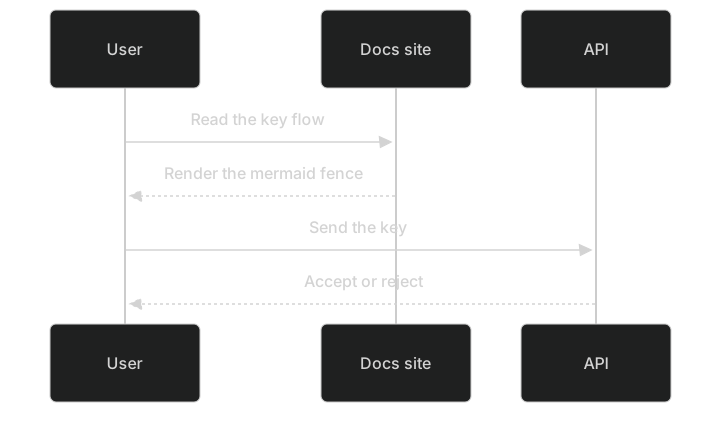
sequenceDiagram
  participant U as User
  participant Docs as Docs site
  participant API as API
  U->>Docs: Read the key flow
  Docs-->>U: Render the mermaid fence
  U->>API: Send the key
API-->>U: Accept or rejectEach picture has its own fence. MDX will happily compile two fences in one file. It will not treat two diagram keywords inside one fence as two pictures. Between the fences, write one sentence about what the sequence adds, so the page does not look like you pasted the same idea twice.
Leave the fence at the top level of the document. Wrapping it in a JSX component can stop the remark plugin from seeing it. If the picture disappears inside a tab or admonition, move the fence back out.
Limits and version skew
The theme bundles a Mermaid version. It is the version that matches the theme package you installed, not necessarily the version in the editor, and not the version GitHub uses for READMEs. A fence copied from a README can fail in the docs, or the other way around. The GitHub Markdown guide is the other side of that copy.
Practical limits:
- New diagram types may need a newer theme package. If the editor draws it and the docs site shows an error, try a flowchart. When the flowchart works, the ambitious diagram is ahead of the theme.
- Theme frontmatter inside the fence and
themeConfig.mermaidcan both try to set a theme. Prefer the site config so every doc matches. Use frontmatter only when one diagram must look different, and test that one page. - Click callbacks and HTML labels are a poor fit for a public docs site. Link the next page from the paragraph under the diagram.
- A fence inside JSX is the most common "it works in Markdown and fails in our docs" bug. Move it out.
- Very wide charts overflow the docs column. Use
flowchart TDfor narrow layouts, or split the chart.
| Symptom | Likely cause | What to do |
|---|---|---|
| Code block, no picture | Theme missing, or markdown.mermaid is still false | Fix the config and restart the dev server |
| Build error on the MDX | A fence or a character MDX treats as JSX | Quote the label, or move the fence out of a component |
| Error box on the page | Invalid Mermaid | Paste the source into the editor |
| Light diagram on a dark page | themeConfig.mermaid has no dark theme | Set dark: 'dark' and rebuild |
| Fine in the editor, broken here | The theme's Mermaid is older | Simplify, or export a PNG |
Mermaid in Markdown explains the fence the plugin is searching for. If the fence is wrong, no amount of config will draw it.
Dark mode
Docusaurus sites usually ship a color-mode toggle. Mermaid will not follow that toggle by guesswork. Set the pair yourself.
themeConfig: {
  mermaid: {
    theme: { light: 'neutral', dark: 'dark' },
  },
},
Reload and use the toggle. Read every label in both modes. neutral on a light page and dark on a dark page is the combination that needs the least custom CSS.
Hard-coded fills still override the theme. A classDef with a light fill stays light when the page goes dark. The node becomes a bright card, and text you colored for a white background can fail contrast. Prefer labels over paint. If a status color is worth it, check both modes on the built page, not only in the editor. The docs CSS and Mermaid's theme are two layers. The editor only shows you one of them.
Troubleshooting
Restart the dev server before you touch the diagram. Config edits are the top cause of a fence that "should" work.
Then check the three lines that matter: the package is installed, themes includes @docusaurus/theme-mermaid, and markdown.mermaid is true. A typo in the theme name fails at startup. A missing flag fails quietly, by showing code.
Then check the file.
- The info string is
mermaid, lowercase. - The fence is at the top level, not inside a JSX wrapper.
- One diagram keyword per fence.
- Labels with
<,>, or{are dangerous in MDX because those characters also belong to JSX. Quote them inside the Mermaid label, and if MDX still complains, rewrite the label without the character.A["List users"]is safer than a label full of angle brackets. - A node named
endcloses subgraphs. UseEnd. - Parentheses in labels need quotes:
A["GET /v2"].
The syntax errors guide covers the parser messages. The editor highlights the line. AI Fix can repair a broken fence if you paste the source into the AI diagram generator flow or the editor's fix action. Bring the repaired source back, save, and let the dev server refresh.
A production build can still disagree with the dev server if the build is using a cached config or an old deploy. Run a production build locally and open the static page. If the diagram is there locally and missing on the host, the deploy did not pick up the config or the new static files. If it is missing locally too, you are still in the config or the fence.
When the theme's Mermaid is simply too old, export a PNG and use an image in the MDX. Keep the source in the repo in a .mmd file or a comment in the pull request so you can switch back to a fence after you upgrade the theme.
When to export an image instead
Export when the diagram must appear in a PDF export of the docs, in a slide, or in a portal that does not run this theme. Export when the theme's Mermaid cannot draw the type you need and the docs release is this week. Export when a compliance page needs a frozen picture that will not change the next time someone edits the fence.
The editor downloads a PNG on every plan: 1× with a watermark on Free, up to 4× on Starter, up to 8× on Pro. JPG, SVG, and PDF downloads are on Pro. The Mermaid to PNG tool is the short path for a bitmap you will commit under static/. Reference it with ordinary Markdown image syntax. Write the date and the source path under the image. An SVG committed beside the doc stays sharp, and it still will not update itself when the process changes.
Fix syntax errors in the fence before you export them into the static folder.
Related setups
The fence is the same one other tools use, with this config in front of it. Mermaid in VS Code is a good local preview while you edit the doc, with the caveat that VS Code's Mermaid build and the theme's build can differ. Mermaid in GitLab matters if the same diagram is in a README on the host. Mermaid in Notion and Mermaid in Obsidian are the wiki and the vault, if the team keeps a second copy. A page outside Docusaurus is embed Mermaid in HTML, which is the path when you are not inside MDX at all.
Questions
How do I enable Mermaid in Docusaurus?
Install @docusaurus/theme-mermaid, add the theme to the themes array, and set markdown.mermaid to true. Restart the dev server. Then use a mermaid fence in a doc. Both the theme and the flag are required. The package install alone does not switch rendering on.
Match the theme's major version to the rest of Docusaurus so the config schema lines up.
Do Mermaid diagrams work in MDX?
Yes, once the theme is enabled. Docs files are MDX even when they end in .md. Keep the fence at the top level of the Markdown. Wrapping it in some JSX components can stop the remark plugin from seeing it. Quote labels that contain characters MDX reserves, or rewrite the label so the file compiles.
Two fences in one doc are fine. Two diagrams in one fence are not.
Can I match my docs theme?
You can set mermaid.theme in the Docusaurus config, including different options for dark mode. A light value of neutral and a dark value of dark is a solid start. Test both color schemes with the docs toggle before you ship. Hard-coded classDef fills ignore that pair, so leave them out until you have checked contrast on the real page.
Why does the README render and the docs page show code?
The README is rendered by the git host. The docs page is rendered by your Docusaurus config. A missing theme or a false markdown.mermaid flag leaves the fence as code even when the source is valid. Fix the config, restart, and reload the doc. Also confirm you are looking at the doc route and not at a cached production deploy.
What if a diagram needs a newer Mermaid than the theme has?
Simplify it to a flowchart or a sequence, or export a PNG and commit the image. Upgrading the theme package is the long-term fix, and it should be a deliberate dependency bump with a production build afterwards. Until that bump, the image is what readers can see. Keep the source so the fence can come back later.
Frequently asked questions
How do I enable Mermaid in Docusaurus?
Install @docusaurus/theme-mermaid, add the theme to your config, and set markdown.mermaid to true. Then use a mermaid fence in any MDX doc.
Do Mermaid diagrams work in MDX?
Yes, once the theme is enabled. Keep the fence at the top level of the markdown. Wrapping it in some JSX components can stop the remark plugin from seeing it.
Can I match my docs theme?
You can set mermaid.theme in the Docusaurus config, including different options for dark mode. Test both color schemes before you ship.