AI class diagram generator
AI class diagram generator that turns a domain description into a Mermaid class diagram with fields and relationships.
By MermaidViewer editorsPublished Updated
Example prompts for a class diagram
- “E-commerce domain model with orders, products and customers”
- “Observer design pattern”
- “Library management system”
What a Mermaid class diagram looks like
Example class diagram
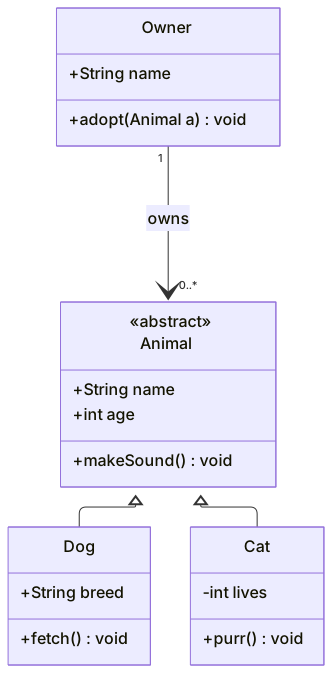
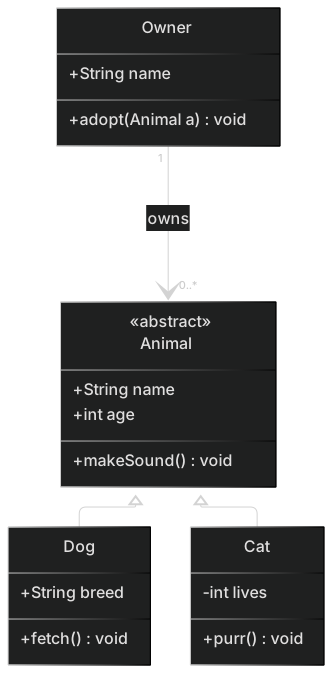
classDiagram
    class Animal {
      <<abstract>>
      +String name
      +int age
      +makeSound()* void
    }
    class Dog {
      +String breed
      +fetch() void
    }
    class Cat {
      -int lives
      +purr() void
    }
    class Owner {
      +String name
      +adopt(Animal a) void
    }
    Animal <|-- Dog
    Animal <|-- Cat
Owner "1" --> "0..*" Animal : ownsWant to write it by hand? See the full Mermaid class diagram syntax and examples, or browse templates.
Inheritance arrows point at the parent, and an ai class diagram generator still gets that backwards on a bad day. A vet clinic, a chess set, a PDF invoice: you want boxes with a few fields, and lines that say who extends whom and who owns the records. The generator above will draft the Mermaid. This page is about the words that keep the arrows honest, and about the drafts that compile while the model is wrong.
What comes out solid
Class names you listed usually appear, with the fields you named under them. Visibility sticks when you say public or private in plain language: public becomes +, private becomes -. A parent and two children become Parent <|-- Child often enough that a small hierarchy is a fair first draft. Interfaces show up as a stereotype when you use the word interface, and the dashed realization arrow is common once you say "implements."
The model is also decent at hiding noise. If you say "only the fields a reviewer needs," you get four members instead of every getter. Namespaces appear when you talk about two bounded contexts, such as scheduling versus billing, and ask for them to be grouped. Cardinality on a real association, "one clinic registers many patients," often lands as "1" and "1..*" on the line.
Check the result against the class diagram syntax. The symbols are easy to misread later: a hollow triangle is inheritance, a filled diamond is composition, an open diamond is aggregation. If you cannot say which object dies when the other is deleted, the diamond is a guess.
What this model gets wrong
Angle brackets are the parse error. The model writes List<Visit> because that is Java, and Mermaid wants List~Visit~. The diagram fails on the first generic. Methods with real code inside the class body are the other parse error: a brace, a semicolon, a comment. Mermaid members are signatures, not implementations.
Meaning errors are more expensive. Composition and aggregation get swapped. A visit that cannot exist without a patient is drawn as a loose aggregation, or a clinic that merely groups vets is drawn as composition, which says the vets are destroyed with the building. Inheritance arrows point from parent to child, so the triangle sits on the subclass. Cardinality gets bolted onto an inheritance line, which is not what cardinality means. An interface is drawn as a normal class, and a later reader thinks you can instantiate it.
Static and abstract markers go missing unless you ask. That is fine for a domain sketch. It is a problem if you are explaining a template method and the abstract step looks callable.
The nouns the prompt must contain
A class prompt is a cast plus a relationship list.
- Each class name, and whether it is a class, an abstract class, or an interface.
- The fields that matter, with types, and public or private.
- The methods worth showing, as names and return types, not as code.
- Relationship verbs you choose on purpose: extends, implements, owns (composition), groups (aggregation), uses (association or dependency).
- Cardinality in words on the associations only.
- Anything to omit, such as constructors, getters, and loggers.
Say "use tildes for generics, never angle brackets." That one line prevents the most common syntax break. The blog class diagram template already shows User, Post, Comment, Tag, plus an Admin subclass and a repository interface. Generate when your domain is a clinic or a game. Start from the template when you are modelling a content platform and only the publishing rules differ.
The AI prompt guide is worth a read before you burn a retry on tone. For class diagrams, relationship verbs do the work.
Three prompts
- Class diagram of a vet clinic. Classes: Clinic, Patient, Visit, Vet. Clinic registers many patients (aggregation). A patient owns their visits (composition): a visit is deleted with the patient. A vet writes many visits (association). Fields: patient name and species, visit date and reason, vet licence number. Public methods: Clinic.addPatient, Vet.record. No getters. No database class.
- Class diagram of chess pieces. Abstract class Piece with square and color, and an abstract legalMoves method. Subclasses Pawn, Rook, King. King implements an interface Royal with a check method. A Board aggregates many pieces. Do not draw a Player class. Use tildes if you need a generic collection.
- Class diagram of an invoice PDF renderer. Classes: Invoice, LineItem, Money, PdfRenderer. Invoice composes many line items. LineItem uses Money. PdfRenderer depends on Invoice and is not part of the domain lifetime. Show totals() on Invoice and render() on PdfRenderer. Hide storage and HTTP.
A diagram that says the right thing about lifetime
The clinic sketch below keeps composition on visits and aggregation on patients. The triangle points at nothing because nobody inherits here. That is a feature. Inheritance would have been a lie.
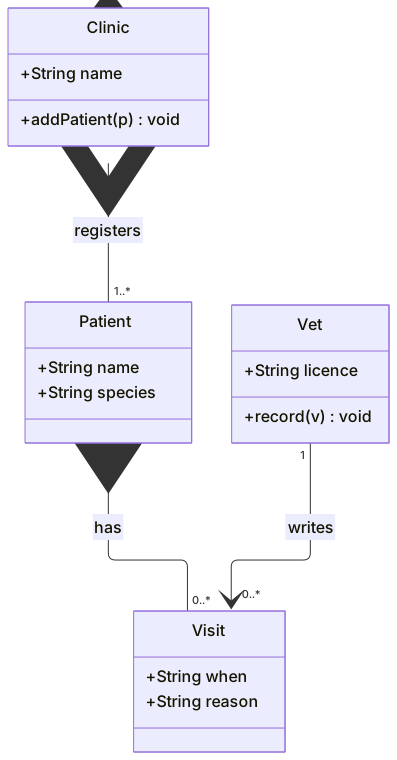
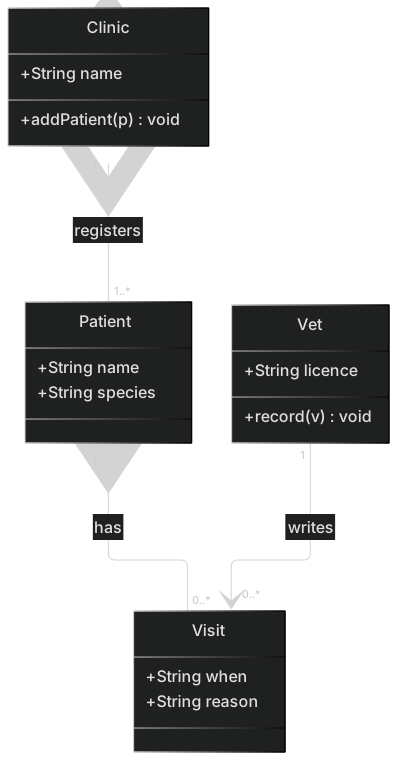
classDiagram
    class Clinic {
      +String name
      +addPatient(p) void
    }
    class Patient {
      +String name
      +String species
    }
    class Visit {
      +String when
      +String reason
    }
    class Vet {
      +String licence
      +record(v) void
    }
    Clinic "1" o-- "1..*" Patient : registers
    Patient "1" *-- "0..*" Visit : has
Vet "1" --> "0..*" Visit : writesDrop this into the editor and add a Species enum only if the review is actually about species codes. Extra types make the picture look finished while the ownership arrows were the point.
Fixing it in the editor
Reach for an AI edit when the relationships are the wrong kind. "Change patient-to-visit to composition. Change clinic-to-patient to aggregation. Remove cardinality from any inheritance line. Delete the Logger class." One instruction can repair three arrows. That is the case where a generation earns its cost, because diamond syntax is easy to mistype when you are tired.
Use a hand edit when the picture is right and a token is wrong. Replace List<Visit> with List~Visit~. Delete a method body that sneaked in. Flip <|-- so the triangle touches the parent. Change + to - on a licence number that should not be public. Hand editing stays free. A stereotype line, <<interface>>, is also a hand edit: one line inside the class, then you move on.
If the parser complains about a member, the cause is almost always a character Mermaid treats as syntax: <, >, {, }. Strip the member down to +record(v) void and add detail back slowly. You can do that in the editor without asking the model to regenerate the whole clinic.
What you can run before you pay
Free includes five AI uses in total. They do not refresh daily. A class diagram that needs generics often burns one use on the draft and a second on the brackets. After that, edit the source. Spending a third generation to rename Patient to Pet is a bad trade.
Starter on the pricing page is $6.99 a month and includes 500 AI conversations a month. Pro is $11.99 a month with unlimited AI under a fair-use limit, aimed at people who draft many diagrams a week. Hand edits and the live preview stay available after the five are gone. PNG download stays on every plan (1× with a watermark on Free, up to 4× on Starter, up to 8× on Pro). JPG, SVG, and PDF are on Pro. The quota counts generations, not minutes you spend typing in the editor.
Browse the AI diagram generator if the picture you need is tables and foreign keys. That is an ER diagram. A class diagram is the one to generate when the question is objects, lifetimes, and who extends whom.
Frequently asked questions
How do I generate a class diagram with AI?
Describe the class diagram you need in the box above and click Generate. The AI writes valid Mermaid class diagram code that renders instantly, and you can open it in the editor to refine it.
Is the AI class diagram generator free?
You can try it free: 5 AI generations in total, not per day, with no sign-up. Starter includes 500 AI conversations a month and Pro is unlimited. Manual editing stays available, and every plan can still download a PNG. JPG, SVG and PDF are on Pro.
Can I edit the generated class diagram?
Absolutely. The output is plain Mermaid code — edit it by hand in the live editor, or ask the AI for changes in natural language.