AI state diagram generator
AI state diagram generator for lifecycles and status machines. Describe the states, get a Mermaid stateDiagram-v2.
By MermaidViewer editorsPublished Updated
Example prompts for a state diagram
- “Subscription lifecycle with trial, active, past due and cancelled”
- “Traffic light controller”
- “Support ticket workflow”
What a Mermaid state diagram looks like
Example state diagram
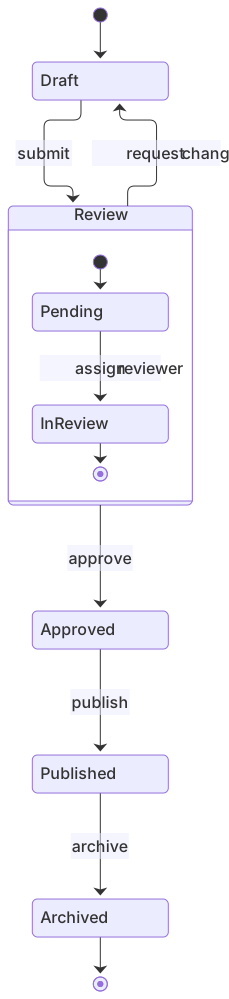
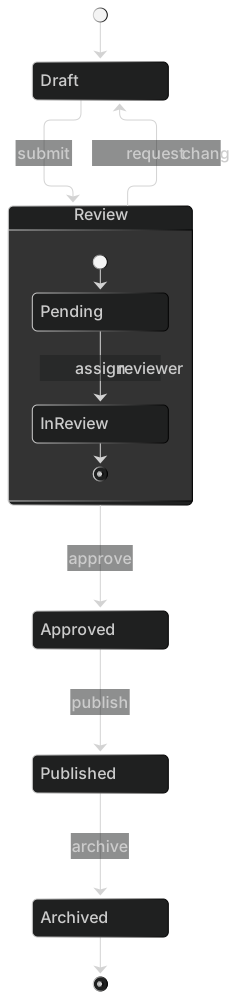
stateDiagram-v2
    [*] --> Draft
    Draft --> Review : submit
    Review --> Draft : request changes
    Review --> Approved : approve
    Approved --> Published : publish
    Published --> Archived : archive
    Archived --> [*]
    state Review {
      [*] --> Pending
      Pending --> InReview : assign reviewer
      InReview --> [*]
}Want to write it by hand? See the full Mermaid state diagram syntax and examples, or browse templates.
Orders fail in the middle, bikes go missing, pull requests sit in review, and an ai state diagram generator is useful when you can name the states as nouns and the transitions as verbs. The widget above writes stateDiagram-v2. The copy under it is about drafts that show legal moves only, and about the pretty charts that invent a path from shipped back to cart.
Lifecycles it sketches well
A straight line of states is a comfortable task. Draft, review, approved, published, archived: you get boxes and arrows with event labels if you wrote the events in the prompt. Start and end marks, the [*] pseudo-state, show up when you say how the object is born and when it is gone. A choice point appears when you describe a branch as "if in stock, reserve, otherwise backorder," as long as you call it a choice and not a screen.
Composite states work when you describe a state that contains other states. "While the bike is checked out, it is either riding or paused" can become a nested block. Notes attach cleanly when the note is about one state ("Lost means no GPS for ten minutes") rather than a paragraph beside the diagram. Direction left to right sticks if you ask, which helps when the lifecycle is a pipeline and a top-down stack would be a tall strip.
The state diagram reference documents stateDiagram-v2, composite states, <<choice>>, forks, and notes. Prefer v2 in anything you keep. The older keyword still runs, and it is a step backward in layout.
Moves the model should not have drawn
The usual botch is a flowchart wearing a state diagram's clothes. Diamonds show up. So do the words Yes and No. State diagrams do not branch that way. They branch with a choice pseudo-state or with two arrows that have different event names. If you see a diamond, the draft is the wrong dialect.
Events get stored as states. "Submit" becomes a box instead of a label on the arrow from Draft to Review. The reverse also happens: a status like "past due" becomes the label on an arrow and never a place the object can sit. Both-direction arrows appear because the model likes symmetry. Cancelled orders do not hop back to packing unless a human said so.
Missing [*] leaves the reader unsure which state is first. Unclosed composite blocks eat the rest of the file. The keyword stateDiagram without -v2 is a smaller miss, still worth fixing. A transition from a nested state to a state outside the parent, drawn without leaving the parent, will parse and still confuse everyone who reads the code later.
Nouns and verbs to put in the prompt
Write states as nouns or adjectives. Write transitions as events.
- The type name: state diagram, version 2.
- Every state, including the start state and the terminal states.
- Every legal event, and the from-state and to-state.
- Transitions that are forbidden, in a short list. This is what stops the symmetric arrows.
- Nested states, and which parent they live in.
- A note on any state whose name is ambiguous.
- Direction, if you care.
The order state machine template already covers cart through delivery, payment failure, cancellation, and returns. Generate a new machine for a bike, a pull request, or a podcast. Open the template when the domain is an order and you are adding fraud review or partial shipment. The prompt guide is the general method. Here, the forbidden list does more than adjectives.
Three prompts
- State diagram v2 of a bike-share ride. Start at Docked. Event undock goes to Riding. Event return_at_station goes back to Docked. Event signal_gap_over_10m goes from Riding to Lost. Event found_and_checked goes from Lost to Docked. Event failed_inspection goes from Docked to Maintenance. Event repair_complete returns to Docked. Do not allow a transition from Lost directly to Riding. Do not draw diamonds.
- State diagram v2 of a pull request. States: Open, Review, Approved, Merged, Closed. Start at Open. Events: request_review, comment, approve, merge, close, reopen. Reopen goes from Closed to Open only. Merge is terminal. Comment stays in Review. Do not let Merged return to Open.
- State diagram v2 of a podcast episode. States: Idea, Recorded, Edited, Scheduled, Published, Retracted. Recorded contains a nested pair, Raw and GuestApproved. Events: tape, guest_ok, cut, slot, publish, pull. Pull goes from Published to Retracted and Retracted is terminal. Idea can be dropped to a terminal Abandoned. No path from Retracted back to Scheduled.
A machine with a hole on purpose
The bike diagram refuses a jump from Lost back to Riding. That missing arrow is the point. A rider who vanished from GPS does not silently become a normal ride.
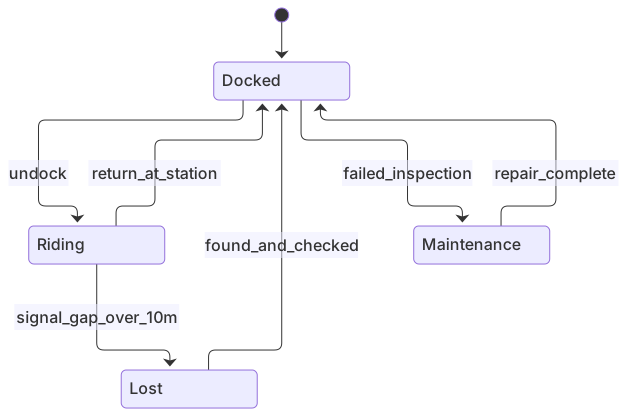
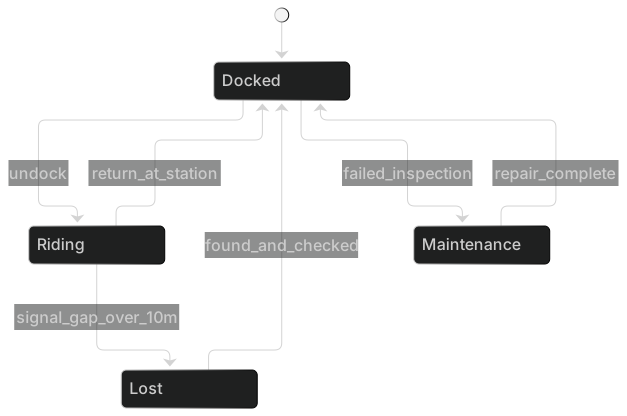
stateDiagram-v2
    [*] --> Docked
    Docked --> Riding : undock
    Riding --> Docked : return_at_station
    Riding --> Lost : signal_gap_over_10m
    Lost --> Docked : found_and_checked
    Docked --> Maintenance : failed_inspection
Maintenance --> Docked : repair_completeLoad it in the editor if you need a Paused state inside Riding. Add the composite only when support staff will actually use that status. Extra states become extra bugs in the service that copies the diagram.
Editing a machine that lies
Ask for an AI edit when several transitions are illegal or a whole nested region is missing. "Remove the arrow from Lost to Riding. Add Maintenance between Docked and a repair_complete event back to Docked. Use stateDiagram-v2. No diamonds." That is one conversation, and it is cheaper than retyping eight arrows you do not remember.
Change the source yourself when one label is wrong. Rename submit to request_review. Point an arrow at [*] to mark a terminal state. Indent a nested state and close it with }. Delete a Yes/No diamond and replace it with two event arrows. Hand editing stays free. State syntax is small. Most "bad" diagrams are three lines from being right.
If the parser says it expected a state name, you probably used a space in an id. Write signal_gap and put the human phrase in a note, or declare state "Signal gap over 10m" as Lost. Spaces inside state "..." as Id are safe. Spaces in a bare id are not. Fix that in the editor and leave the rest of the arrows alone.
Allowance, including the part people miss
The free allowance is five AI uses total. A new day does not reset it. Usage is whichever of the account, the IP, or the device cookie has been used the most. A lifecycle with a forbidden transition often needs the second use, because the first drawing adds the reverse arrow "for completeness." Do the second pass if the lie is structural. Then stop.
Starter at $6.99 a month includes 500 AI conversations a month. Pro at $11.99 a month is unlimited AI within fair use, which means a person's normal diagramming, not an unattended script. Hand editing stays on the free plan after the five uses are gone, and PNG download stays on every plan: 1× with a watermark on Free, up to 4× on Starter, up to 8× on Pro. JPG, SVG, and PDF are on Pro. You can maintain a state machine in git as text without another generation.
If you really need a decision diamond and a business procedure, use a flowchart from the AI diagram generator list. If you need to show who messages whom, use a sequence diagram. Stay on this page when the subject is a thing moving through named statuses, and the arrows are the only legal moves.
Frequently asked questions
How do I generate a state diagram with AI?
Describe the state diagram you need in the box above and click Generate. The AI writes valid Mermaid state diagram code that renders instantly, and you can open it in the editor to refine it.
Is the AI state diagram generator free?
You can try it free: 5 AI generations in total, not per day, with no sign-up. Starter includes 500 AI conversations a month and Pro is unlimited. Manual editing stays available, and every plan can still download a PNG. JPG, SVG and PDF are on Pro.
Can I edit the generated state diagram?
Absolutely. The output is plain Mermaid code — edit it by hand in the live editor, or ask the AI for changes in natural language.