AI requirements diagram generator
AI requirements diagram generator for requirement, element and test links, exported as Mermaid.
By MermaidViewer editorsPublished Updated
Example prompts for a requirement diagram
- “Requirements for a password reset feature”
- “Safety requirements for an insulin pump”
- “Requirements for a payment API”
What a Mermaid requirement diagram looks like
Example requirement diagram
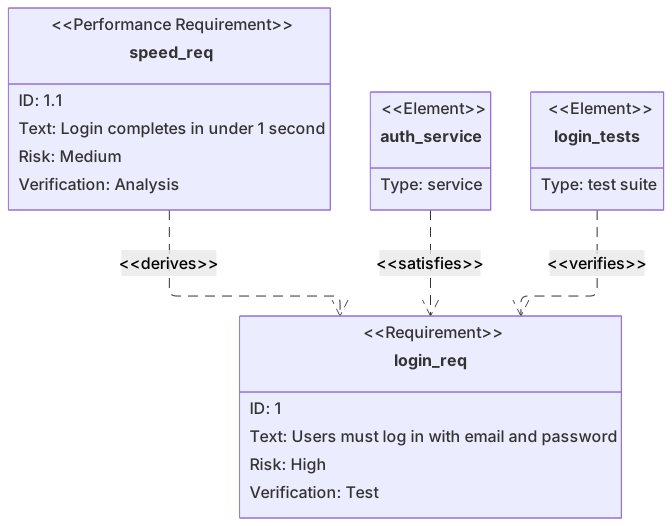
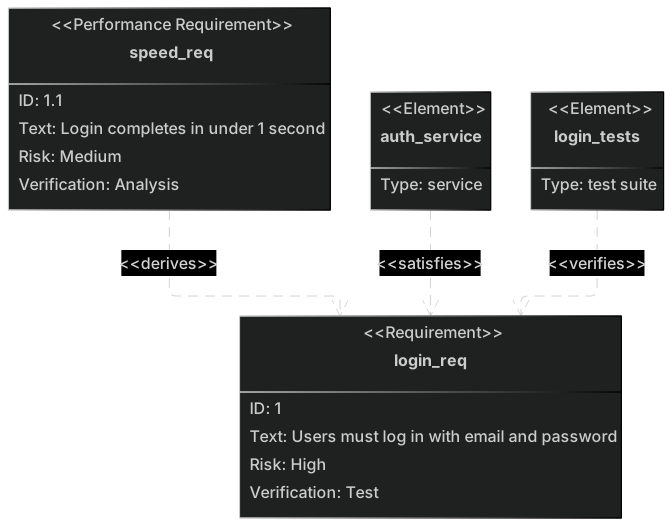
requirementDiagram
    requirement login_req {
      id: 1
      text: Users must log in with email and password
      risk: high
      verifymethod: test
    }
    performanceRequirement speed_req {
      id: 1.1
      text: Login completes in under 1 second
      risk: medium
      verifymethod: analysis
    }
    element auth_service {
      type: service
    }
    element login_tests {
      type: "test suite"
    }
    auth_service - satisfies -> login_req
    login_tests - verifies -> login_req
speed_req - derives -> login_reqWant to write it by hand? See the full Mermaid requirement diagram syntax and examples, or browse templates.
A requirement you cannot test is a slogan, and an ai requirements diagram generator is worth using when every box has an id, a risk, a verification method, and a link to the element or the test that touches it. File upload limits, an audit log, a search response budget: the picture is traceability, not a wish list. The widget above writes requirementDiagram Mermaid. This page is the vocabulary the model has to hear, the illegal relationship names it invents, and the line-level edits that stay free.
Trace links it can draft
Named requirements show up with id, text, risk, and verifymethod filled in when you supplied each field. Subtypes stick if you say functional, performance, interface, or design constraint. Elements appear when you name a service, a module, or a test suite. The relationship verbs that exist in the syntax, especially satisfies, verifies, and derives, are drawn correctly more often than the obscure ones, as long as you use those exact words.
Hierarchical ids, 1 and 1.1, are kept if you write them. Short requirement text is kept. Long policy paragraphs get stuffed into the text field and the box becomes unreadable, which is your cue to shorten the prompt, not to blame the layout. The requirements syntax lists the allowed risks (low, medium, high), the allowed verification methods (analysis, inspection, test, demonstration), and the relationship names. Anything outside those lists is a guess the parser may reject.
Words the model borrows from prose
Risk becomes critical or severe. Verification becomes qa or manual. Those are not legal tokens, and the diagram fails on a line that looks reasonable to a person. Relationship names get invented too: implements, tests, covers, blocks. The syntax wants satisfies and verifies. A reader who knows SysML will not map your synonym, and Mermaid may not either.
Elements omit type, or the type has a space and no quotes, so test suite breaks the block. Requirement ids contain spaces. The same id is reused on two requirements. A performance limit is drawn as a functional requirement, so the derivation arrow has nowhere honest to go. The model adds a "user shall be happy" requirement you did not write, with risk high and no element attached. That orphan looks important and traces to nothing.
Another botch is a flowchart of the feature beside the requirement boxes. You asked for traceability and received a login journey. Delete it. It is not a second view. It is the wrong type.
Fields the prompt should fill
Write each requirement as a form.
- The keyword requirement, plus a subtype if it is not a plain requirement.
- An id without spaces, and the parent id if it derives from one.
- One testable sentence, short enough to sit in a box.
- Risk: low, medium, or high.
- Verification: analysis, inspection, test, or demonstration.
- Each element name and a type, quoted if the type has two words.
- Each relationship using satisfies, verifies, derives, refines, traces, contains, or copies.
- A list of requirements you do not want added.
The password reset requirements template already links a functional reset requirement, a performance requirement on the email, an auth service that satisfies the reset, and a test suite that verifies it. Generate a new diagram for upload, audit, or search. Start from the template when the feature is password reset and you are adding rate limiting. The prompt guide is the general editor method. Here, forbidding extra requirements matters as much as the text you include.
Three prompts
- Requirements diagram for PDF upload. functionalRequirement upload_req, id 1, text "a signed-in user can upload one PDF", risk medium, verifymethod test. performanceRequirement size_req, id 1.1, text "files over 20 MB are rejected", risk low, verifymethod test, derives from upload_req. Element storage, type service, satisfies upload_req. Element upload_tests, type "test suite", verifies upload_req. Do not add a usability requirement.
- Requirements diagram for an audit log. functionalRequirement audit_req, id 2, text "admin actions write an actor and a timestamp", risk high, verifymethod test. Element audit_writer, type service, satisfies audit_req. Element audit_review, type inspection, verifies audit_req using verifymethod inspection on the requirement. No performance child. No flowchart.
- Requirements diagram for search latency. performanceRequirement search_req, id 3, text "search results return within 400 ms at p95", risk medium, verifymethod analysis. Element search_api, type service, satisfies search_req. Element load_report, type analysis, verifies search_req. Do not invent a functional parent unless you also give it id 3.0 and the derives link. Prefer this single requirement if you are unsure.
Upload, with a child you can test
The size limit derives from the upload requirement. Storage satisfies the parent. The test suite verifies the parent. Risk and method use the legal words.
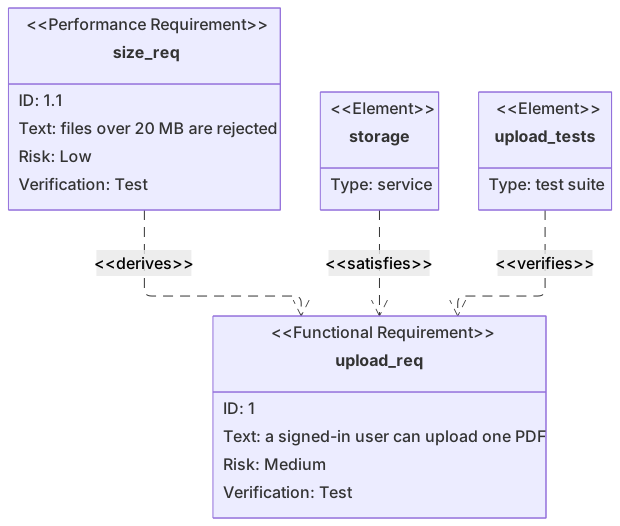
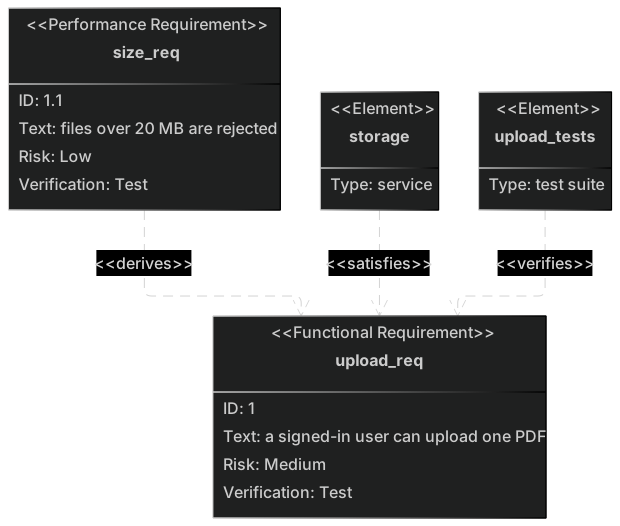
requirementDiagram
    functionalRequirement upload_req {
        id: 1
        text: "a signed-in user can upload one PDF"
        risk: medium
        verifymethod: test
    }
    performanceRequirement size_req {
        id: 1.1
        text: "files over 20 MB are rejected"
        risk: low
        verifymethod: test
    }
    element storage {
        type: service
    }
    element upload_tests {
        type: "test suite"
    }
    storage - satisfies -> upload_req
    upload_tests - verifies -> upload_req
    size_req - derives -> upload_req
Open the editor and change 20 MB to 10 MB if the product decision moved. That is the requirement text. The arrows can stay. If the test suite does not cover the size limit yet, do not draw verifies to size_req until it does. A trace picture that overclaims is worse than a gap.
Repairing a diagram full of synonyms
Use an AI edit when the relationships are illegal words or a flowchart got mixed in. "Keep only upload_req, size_req, storage, and upload_tests. Use satisfies, verifies, and derives. Set every risk to low, medium, or high. Set every verifymethod to test. Delete the flowchart." Cleaning a dialect back to the legal verbs is a good use of a generation.
Edit one field by hand when the structure is right. Change critical to high. Quote "test suite". Fix id 1.1. Shorten the text. Add a missing derives line using the arrow form size_req - derives -> upload_req. Hand editing stays free. The blocks are small. You can see a bad token without a model.
If the parser points at a relationship, the verb is not in the allowed set. Replace it. If it points inside a block, a value has a space and needs quotes, or a colon is missing after id. Correct that line in the editor and leave the other requirements alone.
How many generations, and then what
The free allowance is five AI uses total, shared by the account, the IP address, and a device cookie. It does not reset daily. A requirements diagram with two boxes often works on the first try. It needs a second try when the model writes implements and critical. Spend the second try on the verbs and the risk words. Change a number in the text by typing.
See pricing for the monthly plans. Pay $6.99 a month for Starter and the allowance becomes 500 AI conversations that month. Pro is $11.99 a month and includes unlimited AI under fair use, for people writing diagrams during work, with a cap that stops scripted floods. Hand editing stays free after the five are used. Free still includes a watermarked 1× PNG. A traceability picture can be updated in git like any other text.
Class diagrams show objects. Requirement diagrams show obligations and the tests that check them. If you wanted objects, start from the AI diagram generator list. Stay on this page when an auditor will ask which test verifies which sentence.
Frequently asked questions
How do I generate a requirement diagram with AI?
Describe the requirement diagram you need in the box above and click Generate. The AI writes valid Mermaid requirement diagram code that renders instantly, and you can open it in the editor to refine it.
Is the AI requirement diagram generator free?
You can try it free: 5 AI generations in total, not per day, with no sign-up. Starter includes 500 AI conversations a month and Pro is unlimited. Manual editing stays available, and every plan can still download a PNG. JPG, SVG and PDF are on Pro.
Can I edit the generated requirement diagram?
Absolutely. The output is plain Mermaid code — edit it by hand in the live editor, or ask the AI for changes in natural language.